
Admins can now update learner’s emails
We’ve improved how email management works inside Learner settings. Admins can now directly edit a learner’s email address simply.
A rundown of the latest EducateMe feature releases, product enhancements, design updates, and important bug fixes.
We’ve improved how email management works inside Learner settings. Admins can now directly edit a learner’s email address simply.
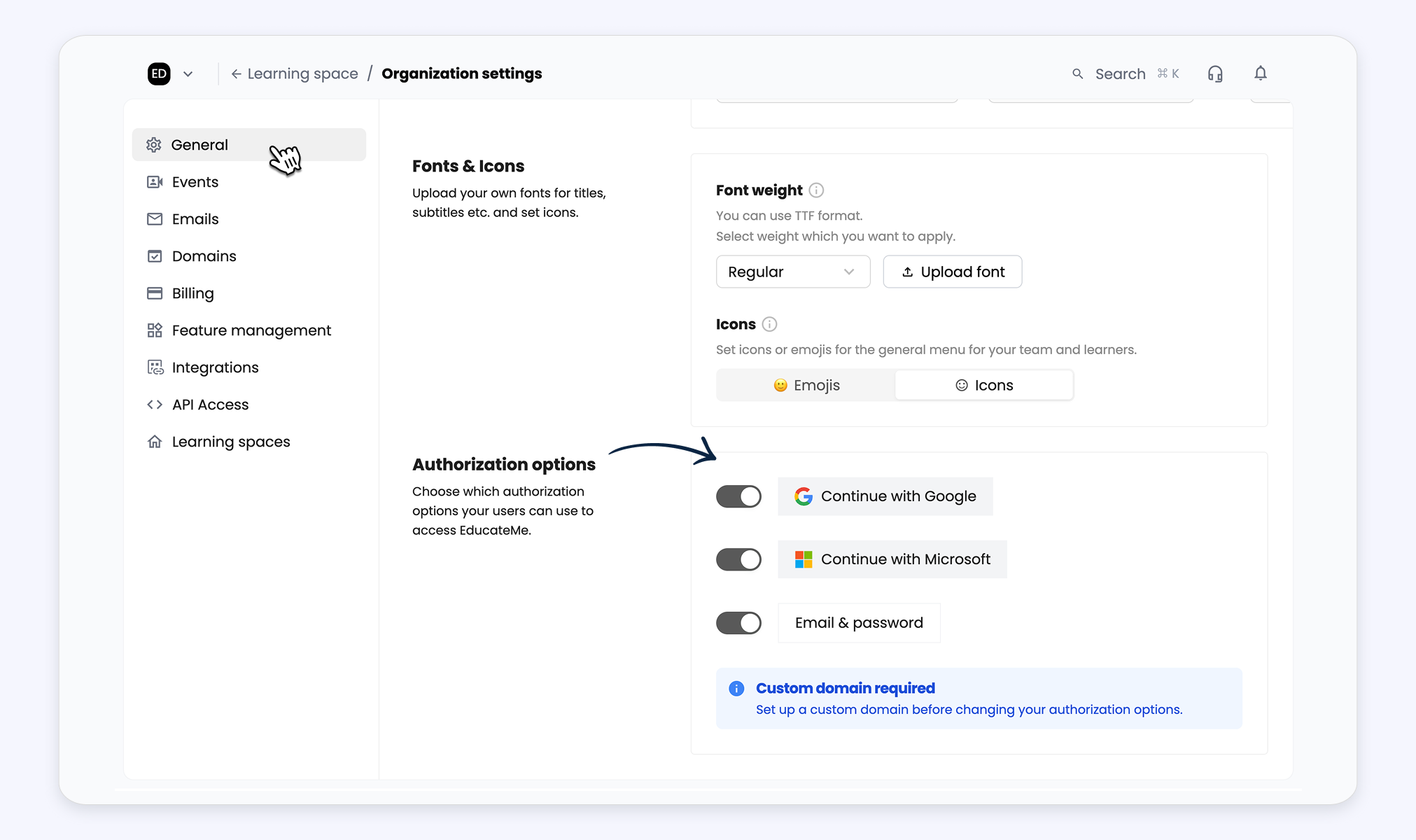
Admins can now control how users sign in with a new Sign-in options section under Organization settings → General. If a custom domain is connected, methods can be enabled or disabled.
Learner submissions are now clearly separated from comments, with a dedicated submission area and a collapsible side panel for comments. We also updated labels and statuses (such “Complete assignment” or “Send for review”) to make the flow simpler and clearer for learners.
Effortlessly manage your AI Roleplays in EducateMe by previewing scenarios directly from the editing page, and once a scenario is generated, head to the Settings tab to set the number of attempts learners will have.
The calendar widget card has a refreshed layout that displays course names (with hover and click interactions), participant counts, and all key details, now available in both the main dashboard and learning space calendars.
You can now delete roleplays and sessions inside AI Roleplay. Stay in control of your training flow with simple delete actions and confirmation prompts.
Now you can track learner progress in AI Roleplay with a new sessions table, detailed session drawer (recording, summary, transcription), and improved navigation with search and counters. Scenario editing is faster with direct creation, edit and preview options, persistent save, and protection against losing changes.
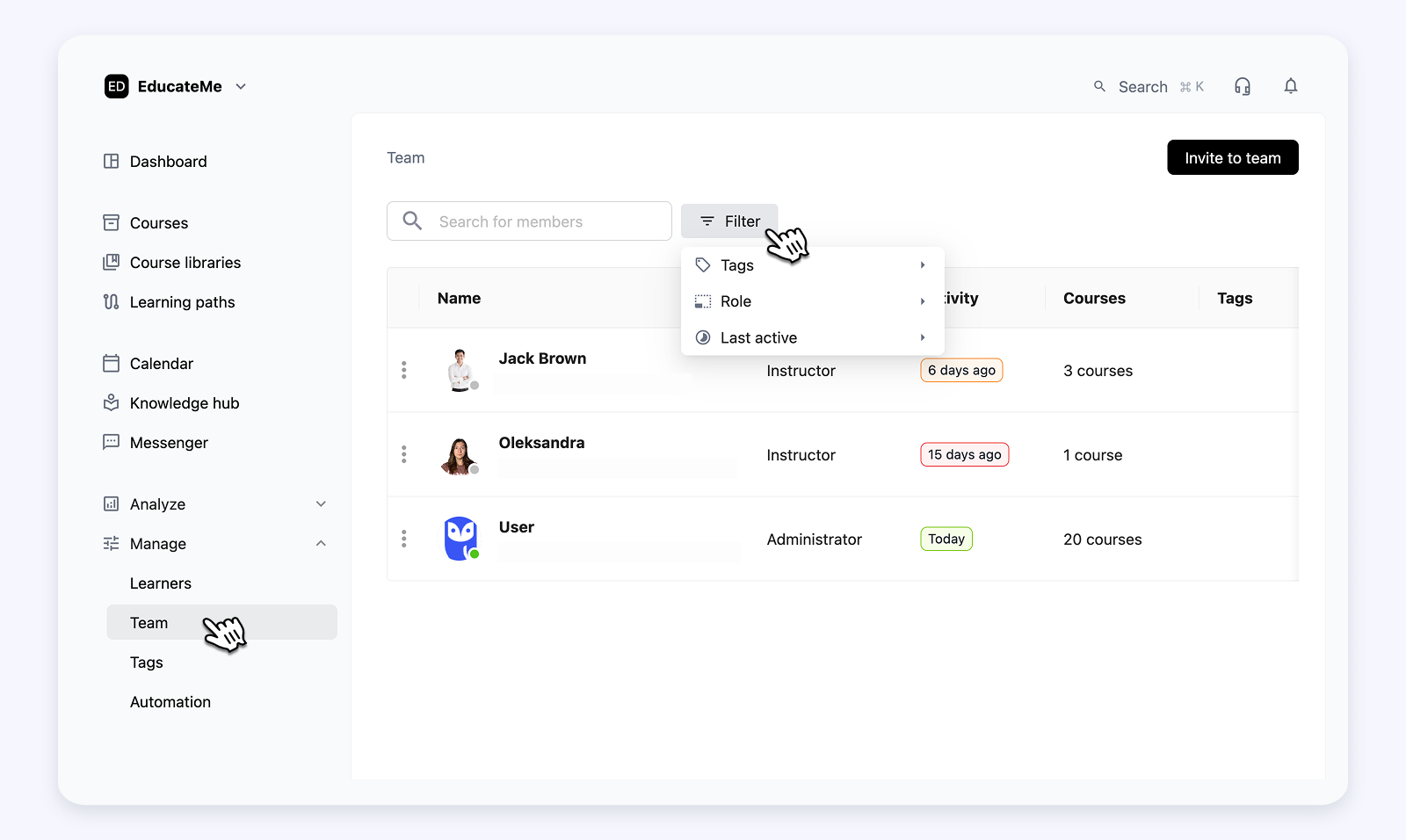
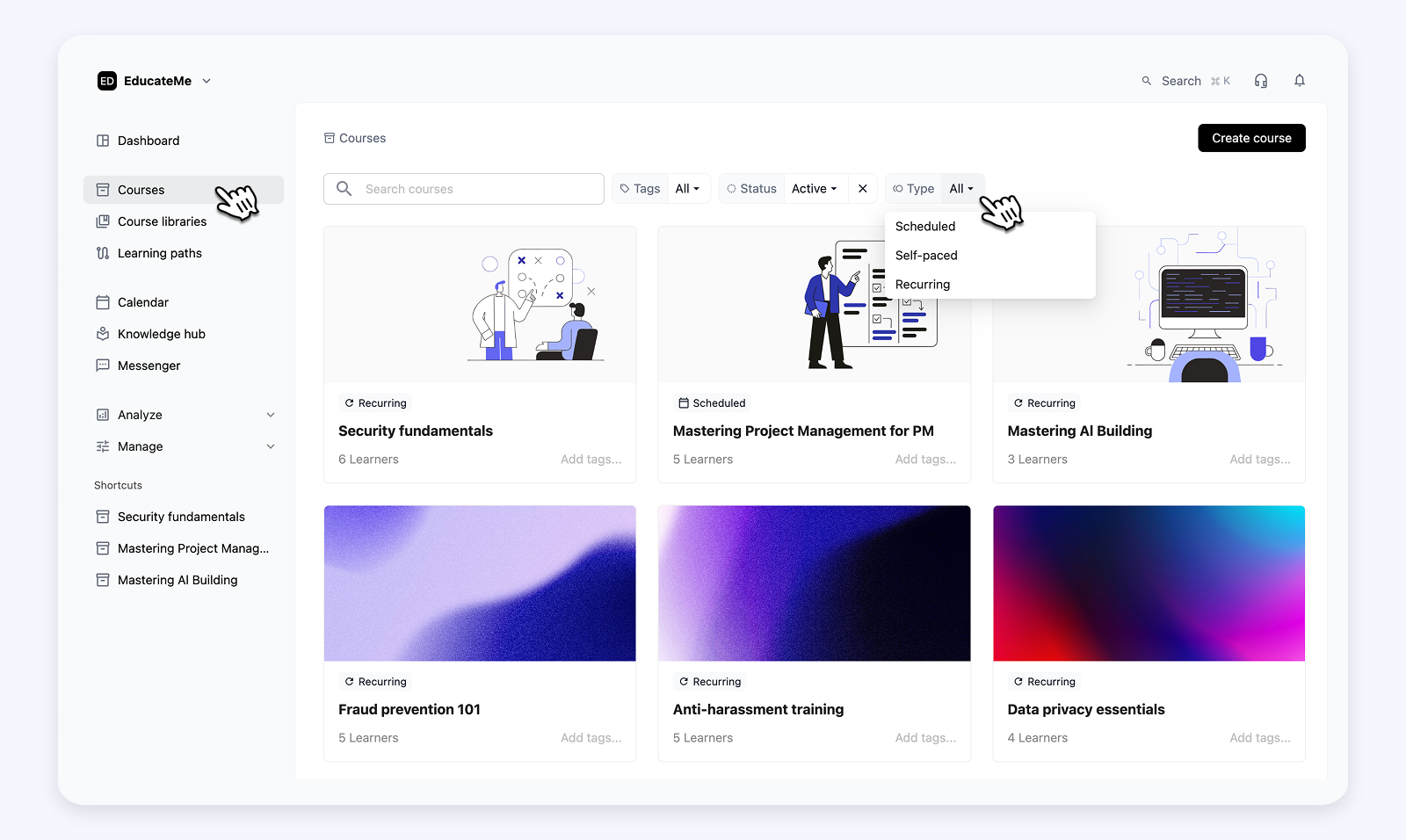
The Courses and Team pages now feature new filters and improved layouts for faster navigation. Flexible filters, an intuitive header, and a data view switcher make it easier to find and view what you need.
Our Slack integration is now live! Connect your workspace to get important notifications directly in Slack and stay on top of deadlines, course updates, and events.
You can now build complete AI roleplays from a single prompt. AI can analyze your course content (or choose no context), optionally upload PDFs, or links to generate realistic scenarios.