
10 Best LMS for Small Business [2026 List]

By Sofia KondratSofia KondratCorporate Training Expert & Content EditorHey there! I’m Sofi Kondrat, your go-to corporate training advisor here at EducateMe. I’ve been navigating the highs…Read more
Corporate Training Expert & Content Editor
14 min read
Small businesses don't need enterprise LMS software. They need something they can set up in an afternoon, hand off to a non-technical manager, and trust to actually run without constant babysitting. I've seen what happens when a 60-person company picks the wrong LMS — they spend three months configuring it, lose interest, and end up running training in a shared Google Drive folder again.
The platforms on this list were chosen specifically for teams between 50 and 500 employees. They're evaluated on how fast you can go from signup to first course, what the pricing looks like when you're not spending enterprise budgets, and whether a small ops or HR team can manage it without a dedicated LMS administrator.
How We Evaluated the Best LMS for Small Business
Our EdTech content and research team combined direct demo testing, user interviews, and external reviews from G2, Capterra, and TrustRadius to assess each LMS based on:
- Easy-to-start with free trial options
- Flexible pricing without high minimums
- Fast customer support and onboarding help
- Workflow automation
- Scalability
- Integration capabilities
Only the LMSs that excelled in at least 4 areas made it into this 2026 comparison.
#1. EducateMe – Best AI-Powered LMS for Small Business
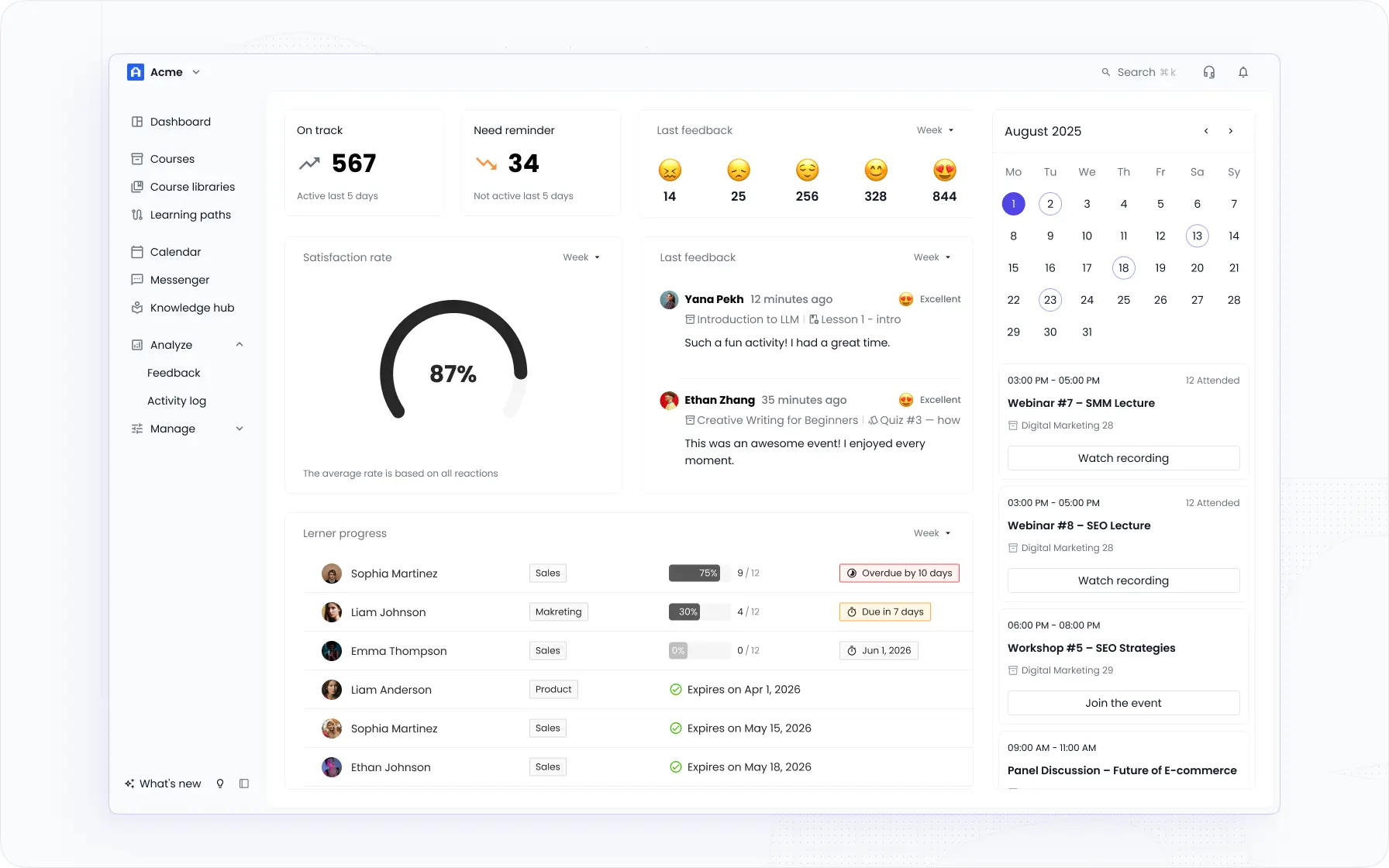
EducateMe is an AI-powered LMS for small business, designed for corporate training programs (onboarding, upskilling, compliance, and sales enablement) without the setup complexity or pricing cliffs that come with enterprise platforms. Small businesses can launch fully branded learning portals in hours, not months.
What makes EducateMe special for small businesses
- Fast setup & advanced white-labeling: Create custom-branded portals with logos, colours, typography, buttons, and domains, ready for onboarding, upskilling, or customer training.
- AI-powered automation: Reduce manual admin work with AI-assisted course creation, enrollment automation, Roleplay Coach, certifications, and personalized learning paths.
- Multi-tenancy support: Run separate portals for teams, departments, or clients, all within the same platform.
- Scalable, flexible pricing: Expand your training programs without overcommitting financially.
- Seamless integrations & analytics: Connect with Zoom, Slack, Notion, and more, while tracking learner progress, engagement, and completion in a clean, easy-to-manage interface.
- Live sessions & notifications: Keep learners on track with reminders, in-app alerts, and email notifications.
- Risk-free trial: Explore all features with a free trial before committing
Potential challenges
- No dedicated mobile app: Learners must access the platform via a web browser, which may limit mobile convenience.
- Limited gamification features: Advanced engagement tools like points, badges, or leaderboards are minimal compared to some other LMS platforms.
EducateMe LMS pricing
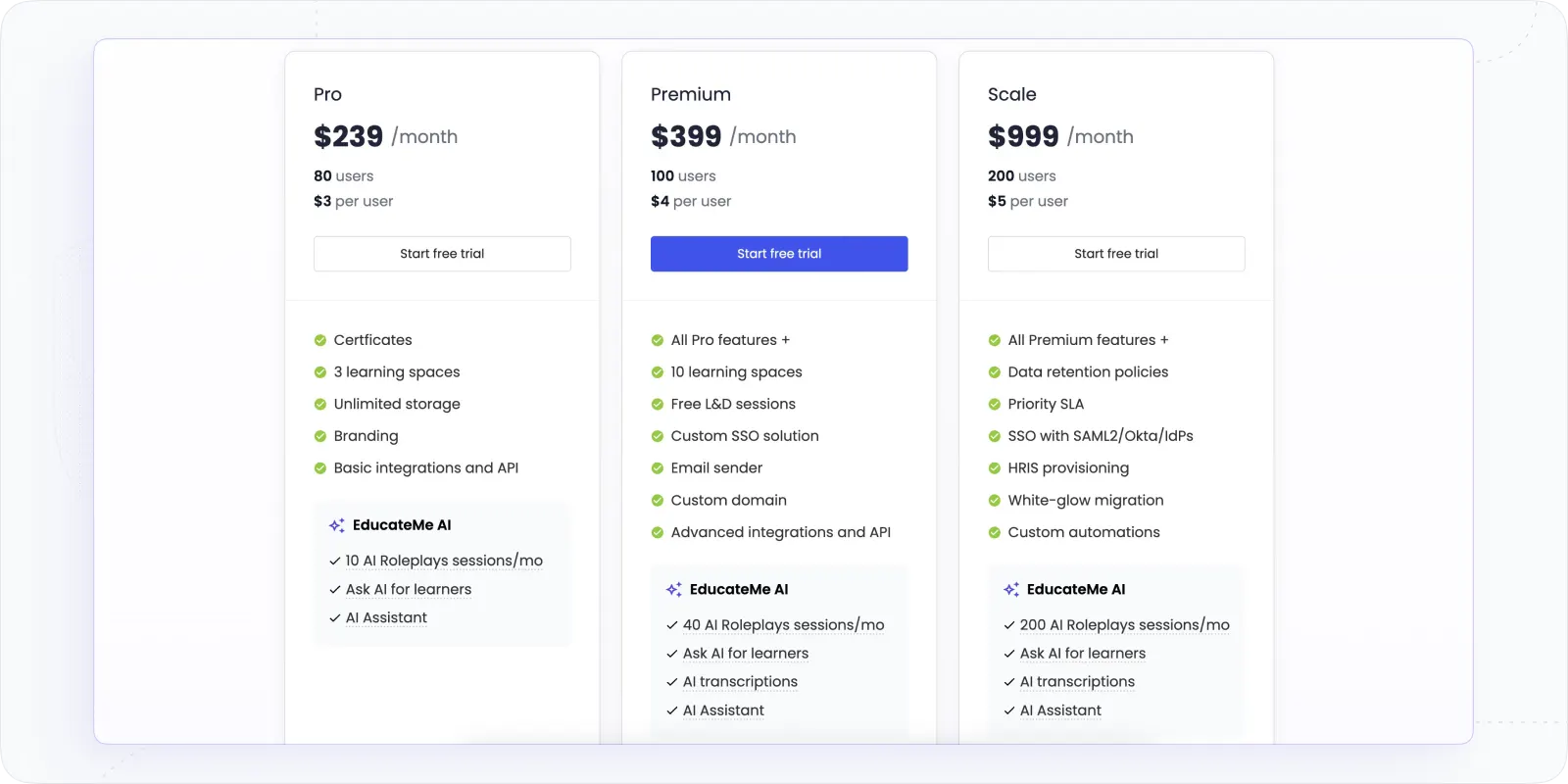
Pro $239/month (80 users, +$3/user) · Premium $399/month (100 users, +$4/user) · Scale $999/month (200 users, +$5/user) · Start a free trial
#2. TalentLMS – Best LMS for Personalized Training
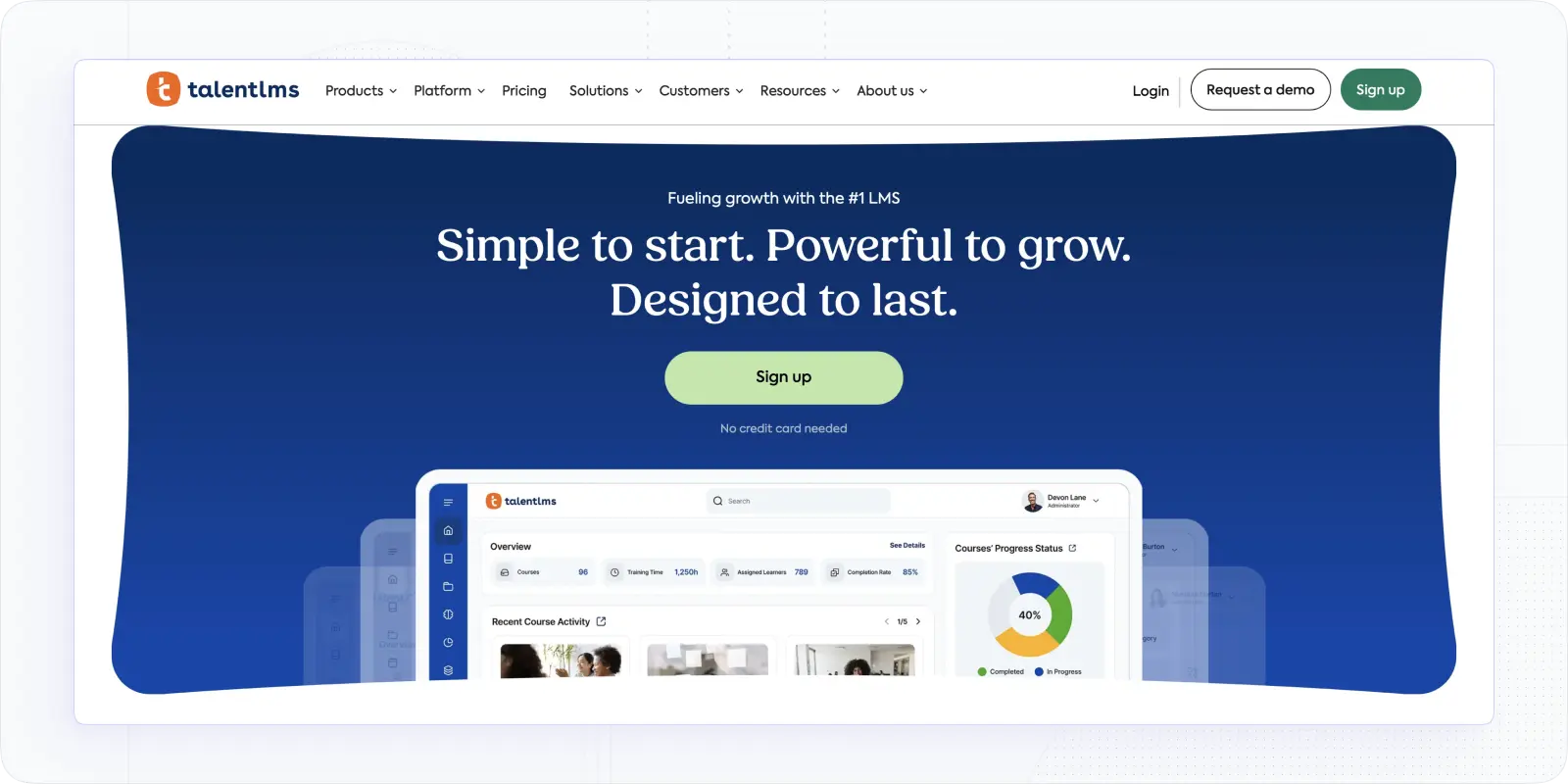
TalentLMS is a well-established option for small businesses that need structured online training with strong multi-language support and broad integration compatibility. It's particularly good for teams that want convention over configuration — a platform that works out of the box without extensive setup.
What makes TalentLMS special
- Flexible user interface: TalentLMS is among the top 5 LMS for small business because its concept is more about convention than configuration. But it does have the potential to work with a wide variety of learning technologies, such as SCORM and Tin Can (xAPI), push notifications, and video conferencing. Additionally, you can add your CSS and JavaScript to personalize your learning site further and use the over 200 services it supports. This makes it simple to design courses that meet your needs and reflect your aesthetic tastes.
- Full-fledged solution: TalentLMS simplifies creating, marketing, and tracking an online course by providing a comprehensive set of tools. Among its many capabilities are the creation of certifications, the automation of bulk actions, the management and distribution of files, the collection and analysis of data, the facilitation of internal interactions inside portals, and the facilitation of online retail sales. The application also has a course marketplace where users can purchase prepackaged courses on various subjects.
- Supports strategic course execution: Creating a course is the first step in the eLearning process. Planning the execution of your online course is essential to ensuring its success.
- Structured learning paths: The learning environment may be divided into several branches. Learning routes can be organized according to the speed at which they should be taken, and an assessment engine that allows for various exam kinds can be accessed with TalentLMS.
Potential challenges
- Limited customization in the mobile app compared to the web version.
- Some advanced features may require a learning curve for users new to LMS platforms.
- Pricing for larger teams can become costly as you scale.
- Users with highly specific workflow requirements may need additional setup to integrate all desired tools effectively.
TalentLMS pricing
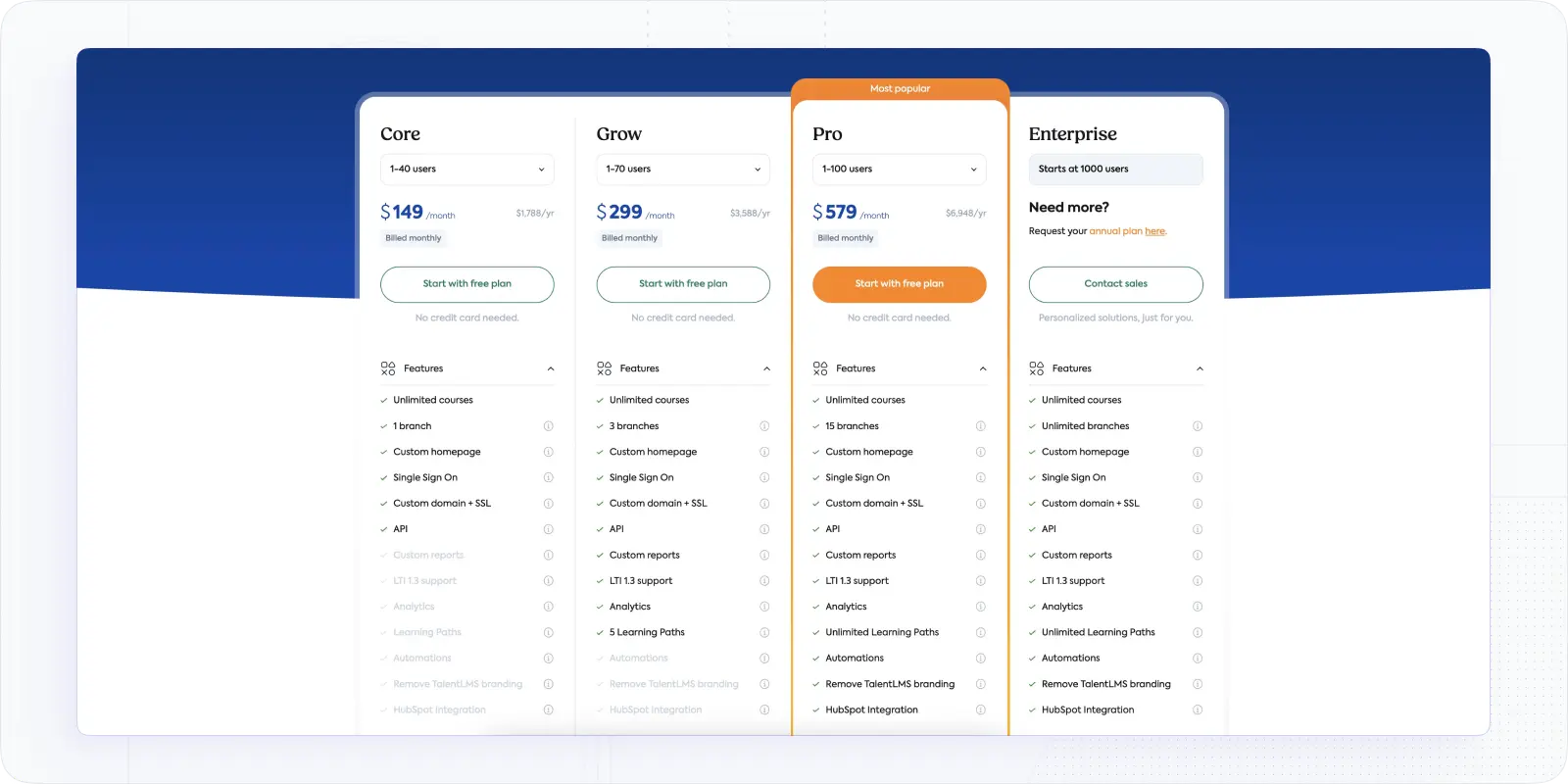
TalentLMS pricing range from $149 for a Core Plan, $299 for a Grow, and $579 for Pro. Their yearly billing option comes with a little price cut.
#3. Moodle Cloud – Best Self-Hosted LMS for Small Business
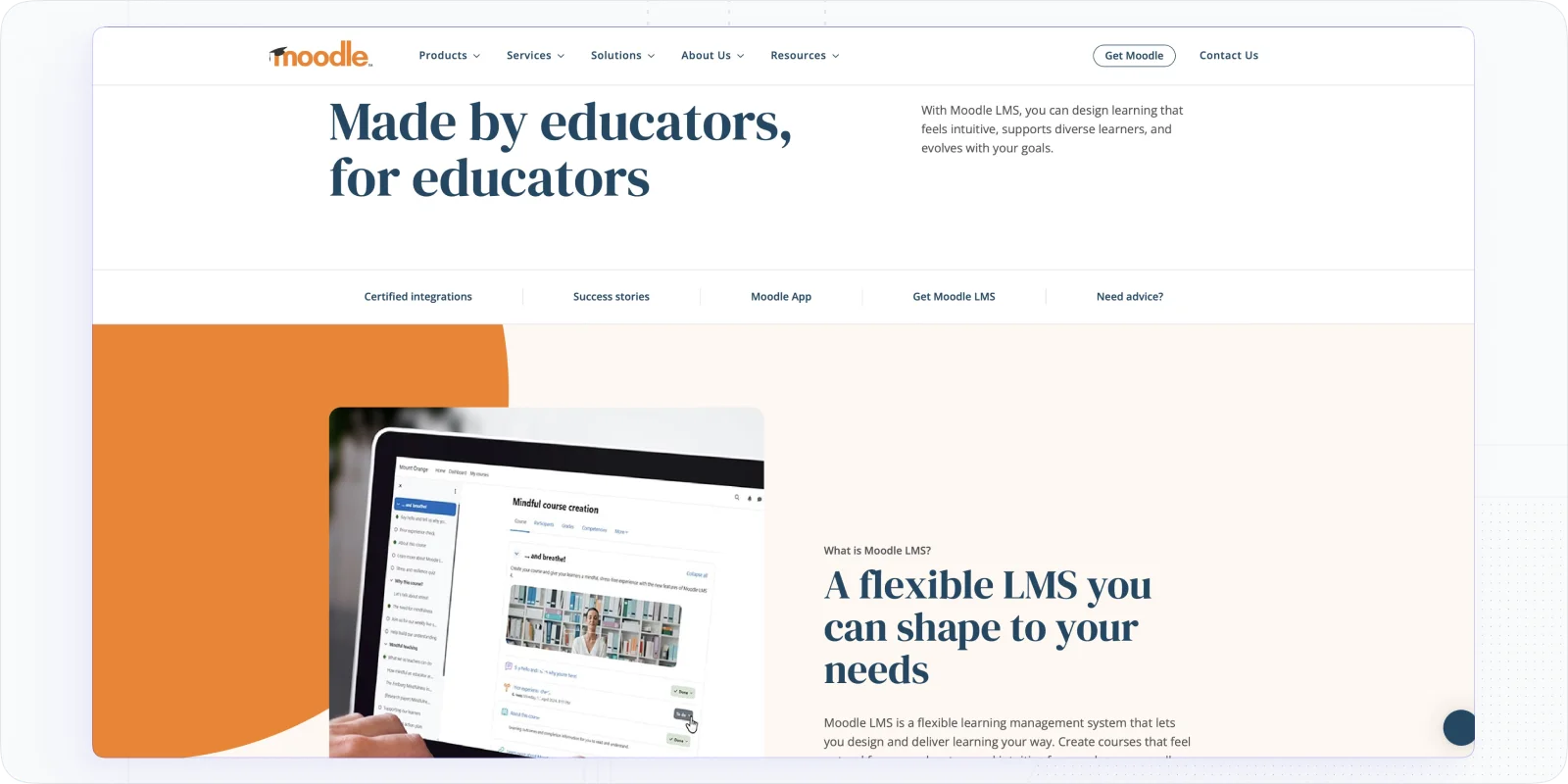
Moodle is the go-to when budget is the primary constraint. It's open-source, free to use, and has a massive global plugin library that can extend it in almost any direction. The trade-off is that you're taking on more technical overhead, someone on your team needs to manage hosting, updates, and configuration.
What makes Moodle special
- Dedicated dashboard: Moodle provides a user-friendly, adaptable dashboard that lists all courses and tasks in one convenient location. It includes a calendar, text editor, auto alert tools, progress monitoring solutions, and collaboration capabilities, and it's available on desktop and mobile platforms.
- Easy course creation: Compared to traditional classroom training, the main difference between e-learning and traditional classroom training is that the former does not often allow face-to-face mentorship or flexible teaching methods. With Moodle, you can provide your students with comprehensive and engaging courses by integrating media and facilitating online meetings.
- Vast collection of educational material: Moodle makes it simple to search for relevant resources, no matter your role in the classroom. It allows users to have discussions in various tongues, provides access to free educational materials, and archives posts from people all around the globe. This makes it far less of a hassle to learn about recent developments in your field.
Potential challenges
- Requires self-hosting or external hosting for cloud access.
- Steeper learning curve for non-technical users.
- Limited out-of-the-box integrations; may require third-party plugins.
- Advanced reporting or automation requires custom configuration.
Moodle pricing
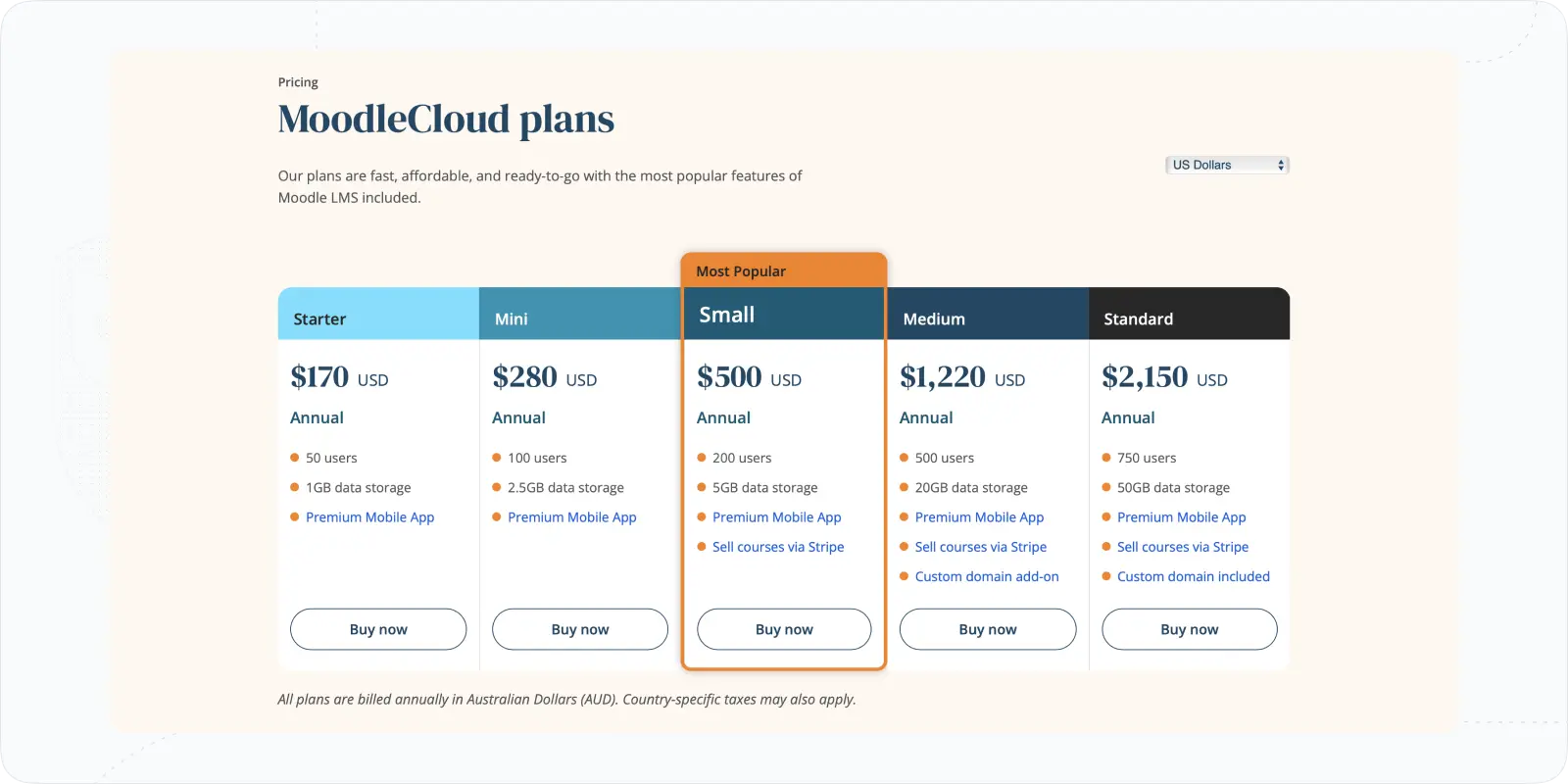
MoodleCloud plans (billed annually): Starter $170/year (50 users) · Mini $280/year (100 users) · Small $500/year (200 users) · Medium $1,220/year (500 users) · Standard $2,150/year (750 users). Note: prices displayed in USD but billed in AUD — country-specific taxes may apply. Self-hosted Moodle remains free.
#4. LearnWorlds – Best Small Business LMS with Marketplace Capabilities
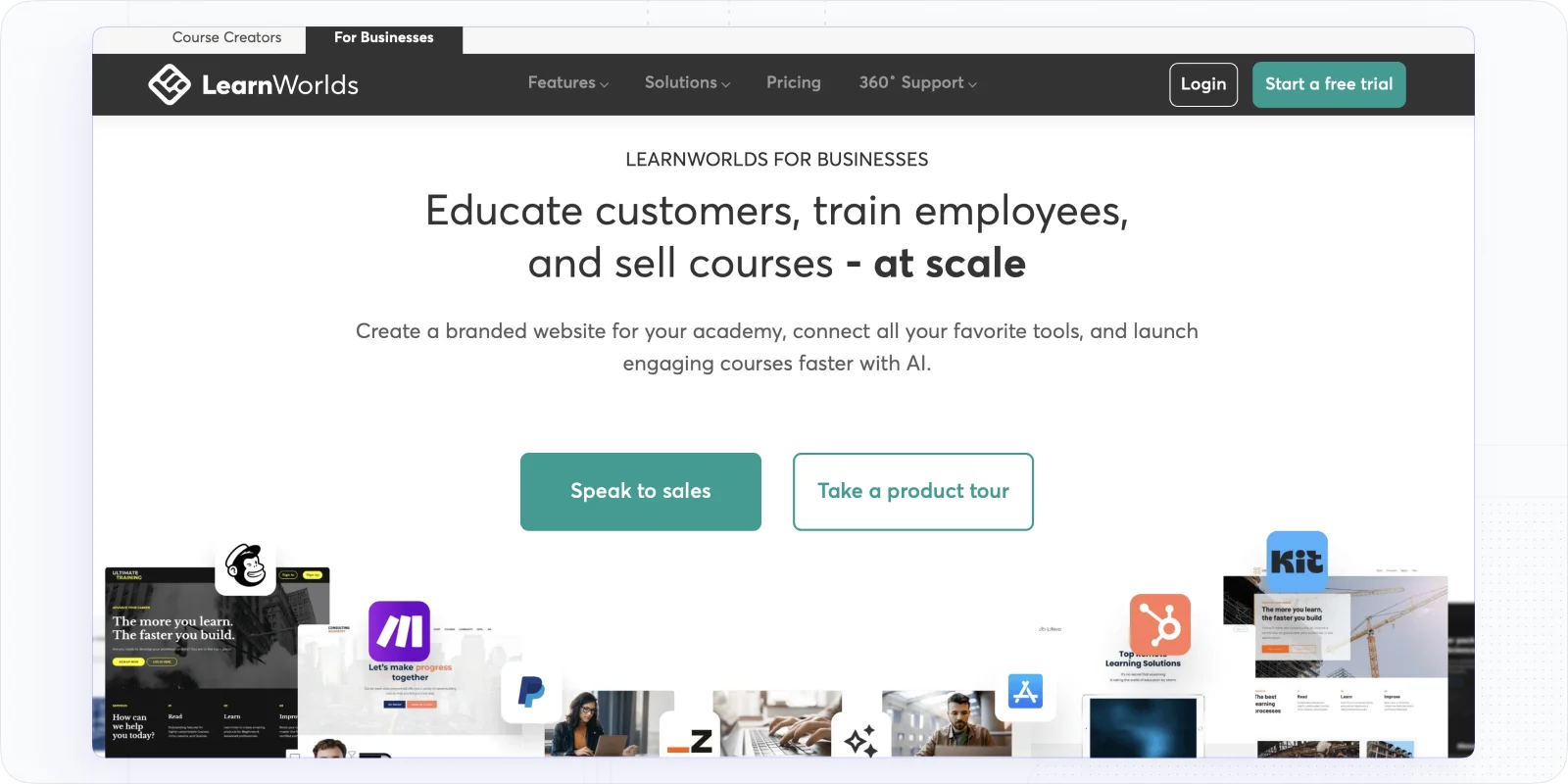
You can create your own online courses or instructional programs using LearnWorlds, one of the best learning management system for small business. It's a strong choice if your business is running customer-facing training or selling courses as a product line. The platform is genuinely designed for content monetisation (online stores, subscription models, affiliate management), while also supporting internal training needs.What makes LearnWorlds special?
Why you should consider this platfom
- Player for customized training courses: Learning is facilitated via LearnWorlds. Employees' learning and progression may be managed in a granular fashion using this tool thanks to the course player's flexible configuration options. Constrictions may be imposed as well. Learners may annotate their papers in a variety of ways. Moreover, it includes transcripts, responsive e-books, and interactive movies.
- Online store capabilities: Private classes, free courses, course packages, and subscriptions are all up for grabs. LearnWorlds is a "white-label" service, meaning you may use your logo and language while delivering content to customers. Some features are pop-ups, form customization, email marketing, search engine optimization, and an innovative affiliate management system.
- High-tech analysis: Through sophisticated courses and user analytics, you may learn more about how your students engage with the content you provide in your courses. This feature makes it easier to find out what they like and need to work on. The adoption and effectiveness of e-learning materials may be improved via data-driven decision-making.
Potential challenges
- Some users report occasional platform bugs (e.g., posting or video upload issues).
- Video storage and backup require extra planning and cost.
- Complex features may require time to learn for admins and instructors.
LearnWorlds pricing
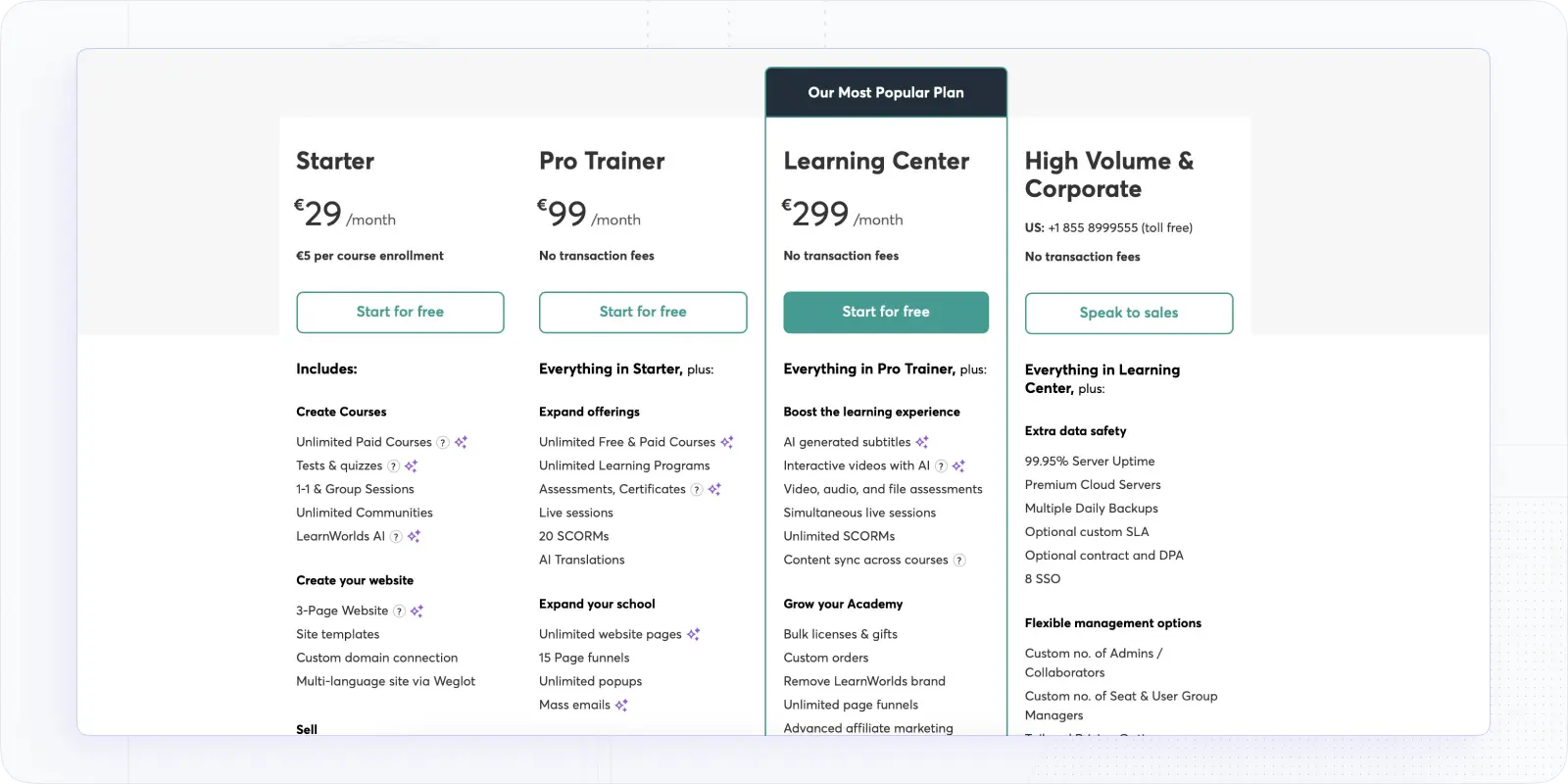
LearnWorlds pricing may include additional costs beyond the base subscription, such as a $5 transaction fee per course sale on the Starter plan and potential expenses for third-party tools (e.g., email marketing, analytics, or integrations). Advanced features like white-labeling, interactive video tools, and expanded admin access are only available on higher-tier plans, which increases overall cost as your needs grow.
#5. Trainual – Best LMS for SOP Management
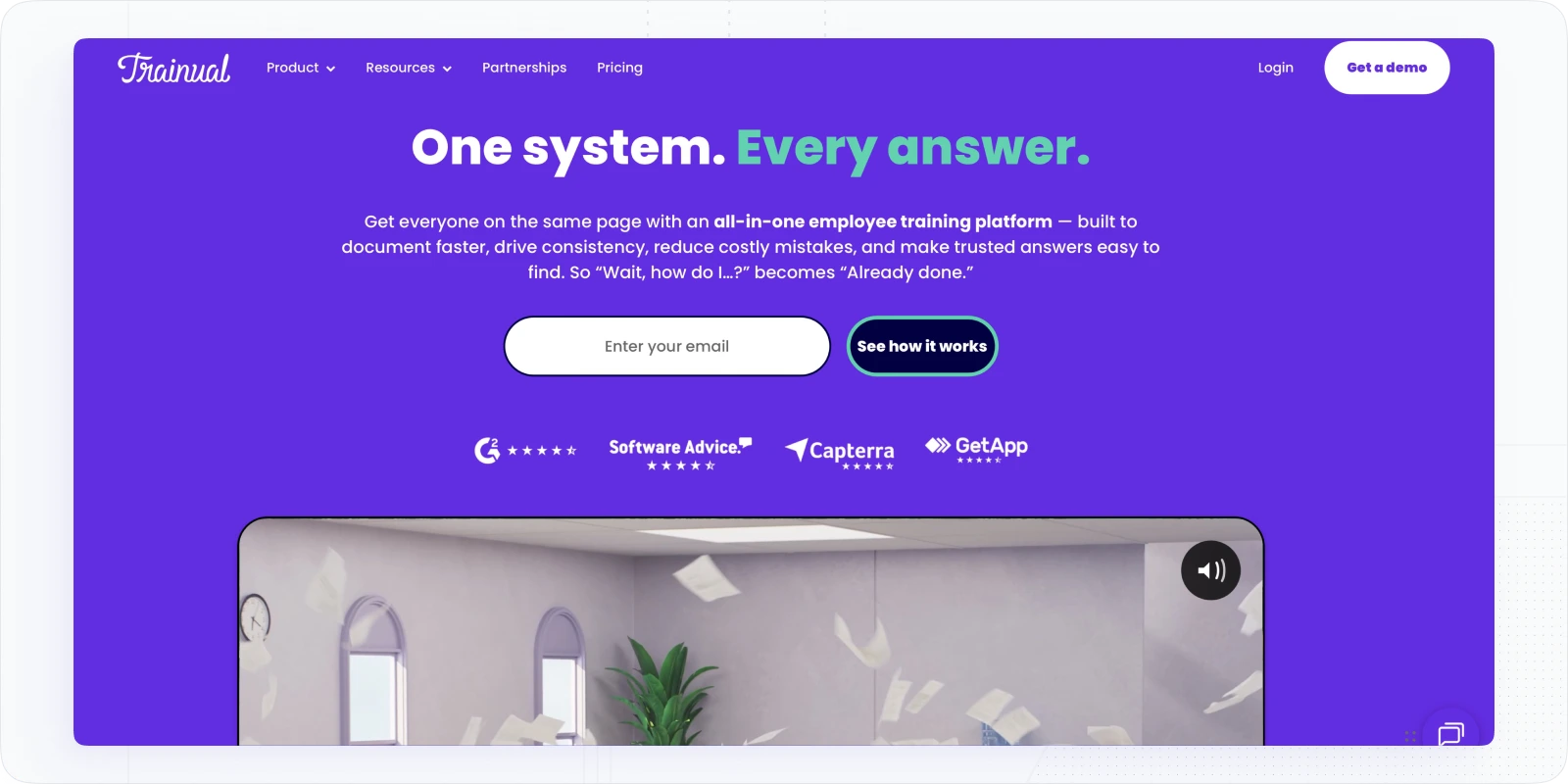
Trainual isn't a traditional LMS — it's built specifically for documenting and delivering standard operating procedures, making it ideal for fast-growing small businesses that need consistent onboarding without hiring a dedicated L&D person. By centralizing training materials, policies, and SOPs, Trainual ensures that your team always has instant access to crucial knowledge, reducing operational errors and saving valuable time. Trainual is especially useful for small businesses undergoing rapid growth who need to maintain quality without constant micromanagement.
What makes Trainual special for small businesses
- SOP and process documentation: Pre-built templates for every core business process; new hires follow the same steps every time, no matter who's training them.
- Automated onboarding workflows: Assign content by role the moment someone joins; no manual setup required for each new hire.
- Searchable knowledge base: Employees find answers themselves instead of asking a manager; reduces repeat questions significantly for fast-growing teams.
- Progress tracking and assessments: Quiz completions and read confirmations give you a paper trail of who knows what.
Potential challenges
- Limited advanced filtering and reporting options.
- Scheduling training paths by role can be cumbersome.
- May not scale efficiently for very large teams without custom plans.
Trainual pricing
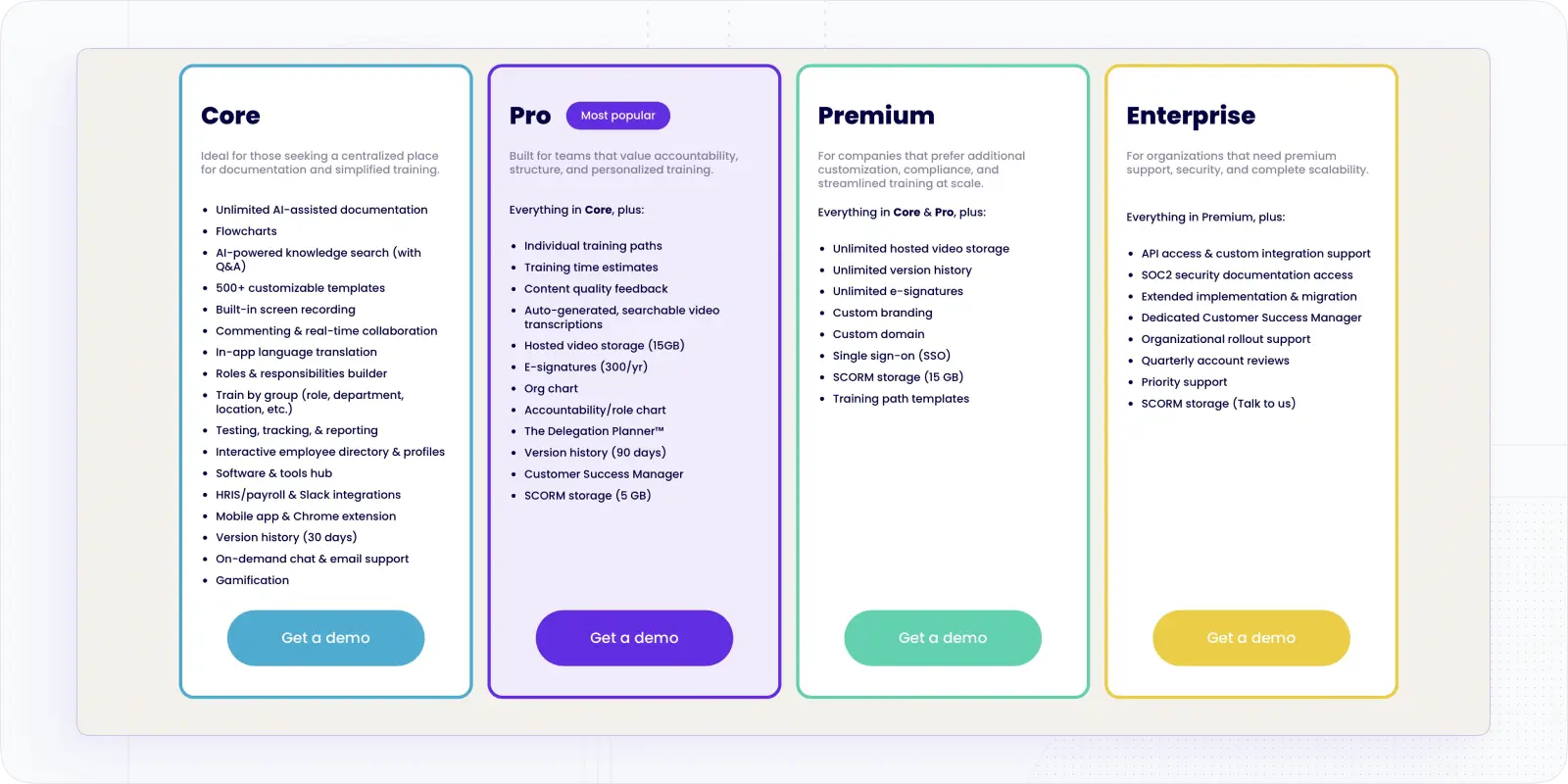
Although Trainual pricing no longer publicly displays pricing on its website as of 2026, their plans were still listed at the end of 2025, starting at $249/month for small teams, $349/month for medium teams, and $499/month for growing teams, with custom pricing available for organizations with 101+ employees.
#6. LearnUpon – Best for High-Volume Employee and Customer Training
LearnUpon is a powerful LMS built to handle large-scale training programs efficiently, whether for internal employees or external partners and customers. Small businesses with fast-expanding teams or customer bases can rely on LearnUpon’s intuitive multi-portal system to keep different groups separated but managed from a single dashboard. Its strong compliance tracking, automation, and advanced reporting ensure you stay ahead without adding administrative overhead.
What makes LearnUpon special for small businesses
- Multi-portal management: Keep employees, customers, and partners in separate branded portals while managing everything from a single admin dashboard.
- Custom branding: Each portal gets its own look and feel; useful for businesses running training for multiple client groups or departments.
- Certification and compliance tracking: Automated certification management with audit-ready reporting built in.
- SCORM and xAPI compatibility: Works with content built in any standard authoring tool; no reformatting required.
- Smart automation: Course assignments, reminders, and re-enrolments triggered automatically once rules are set.
Potential challenges
- Course setup can be time-consuming.
- Admin grouping limitations reduce flexibility.
- Older versions of courses remain in lists, which can clutter the interface.
- Quote-based pricing may be expensive for smaller teams.
LearnUpon pricing
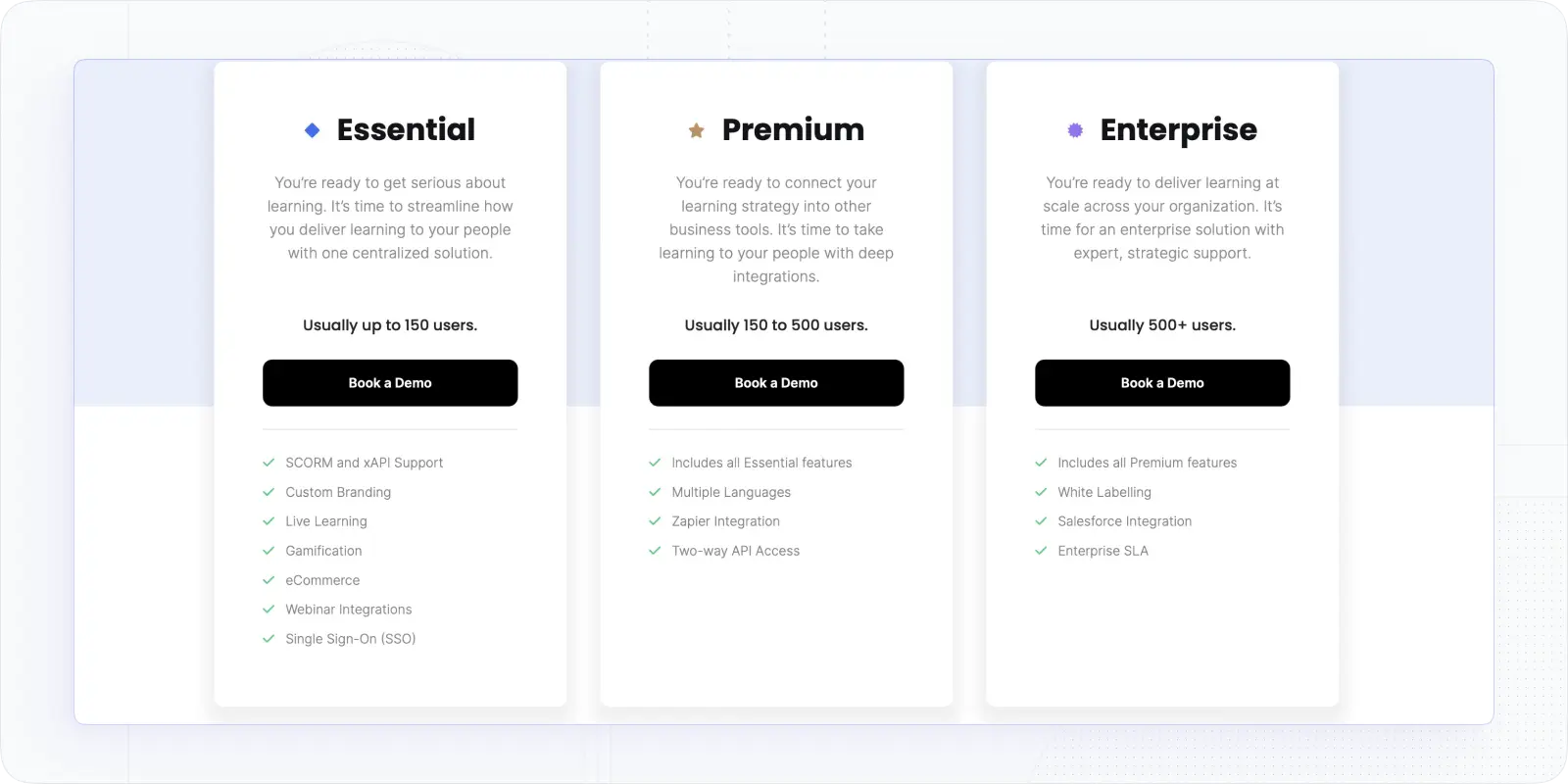
LearnUpon pricing does not publish fixed numbers on its website in 2026 and operates on a quote-based model. Based on buyer reports and procurement data, typical costs generally start around $10,000–$15,000 per year for smaller deployments, with mid-market teams often paying $25,000–$50,000+ annually, and enterprise implementations frequently exceeding $80,000–$100,000+, depending on user volume, portals, integrations, and support requirements.
#7. iSpring Learn — Best for Fast Course Creation
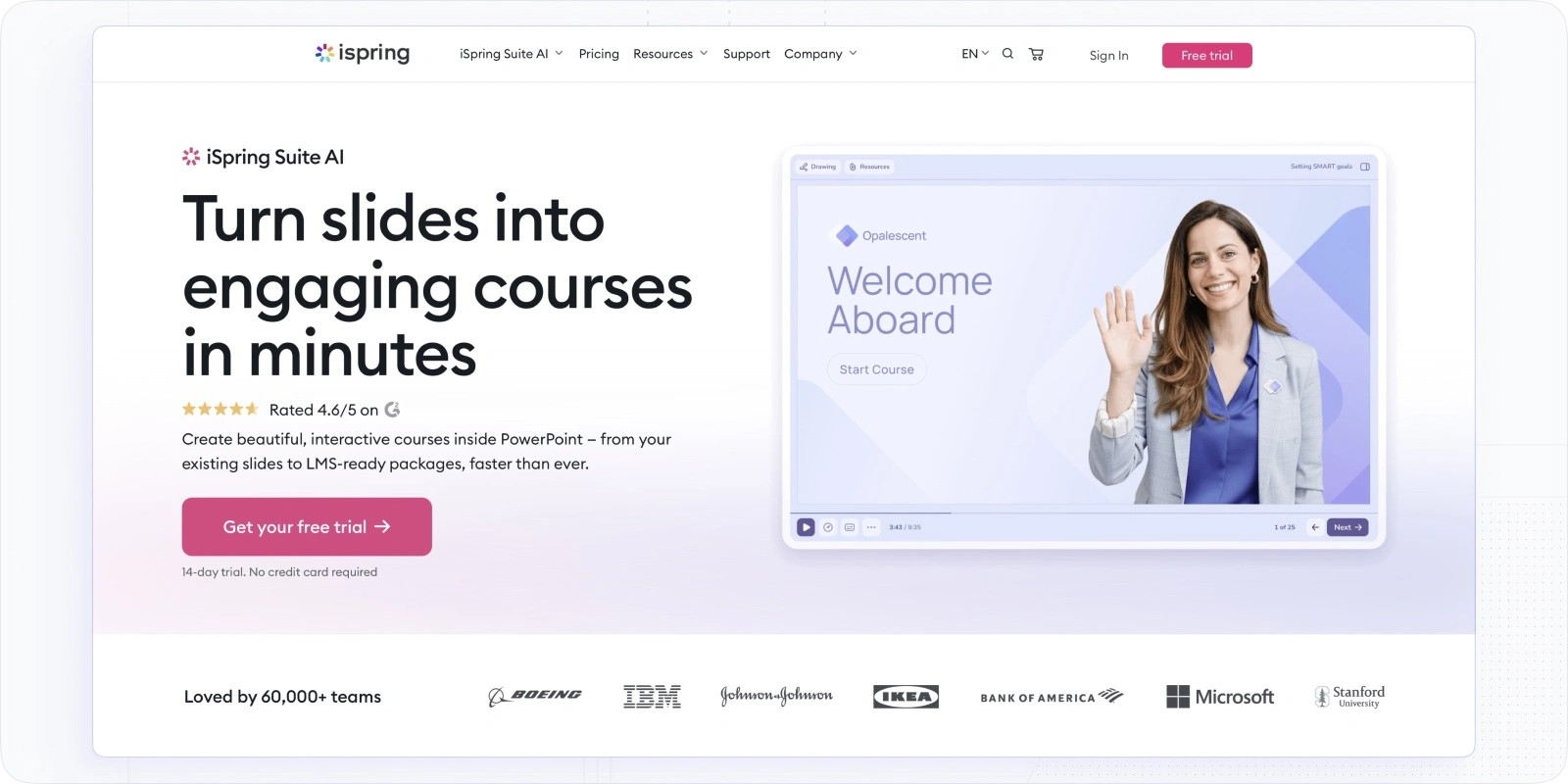
iSpring Learn is a solid mid-market LMS that pairs cleanly with its own authoring tool (iSpring Suite) if you're creating a lot of PowerPoint-based or SCORM content. The platform is genuinely fast to set up and runs well for teams that need structured training without building everything from scratch.
What makes iSpring Learn stand out
- Native PowerPoint integration: Convert existing presentations into interactive courses in minutes; no redesign required.
- SCORM/xAPI support: Full compatibility with industry-standard content formats from any authoring tool.
- Detailed reporting: Learner progress, time-on-task, quiz performance, and department-level dashboards.
- Automated enrolment and deadlines: Set rules once; the platform handles reminders, reassignments, and completion tracking.
Potential challenges
- Reports of occasional downtime and UI errors.
- Core product features are somewhat basic; limited advanced LMS functions.
- Customization options may be limited for unique business needs.
iSpring pricing
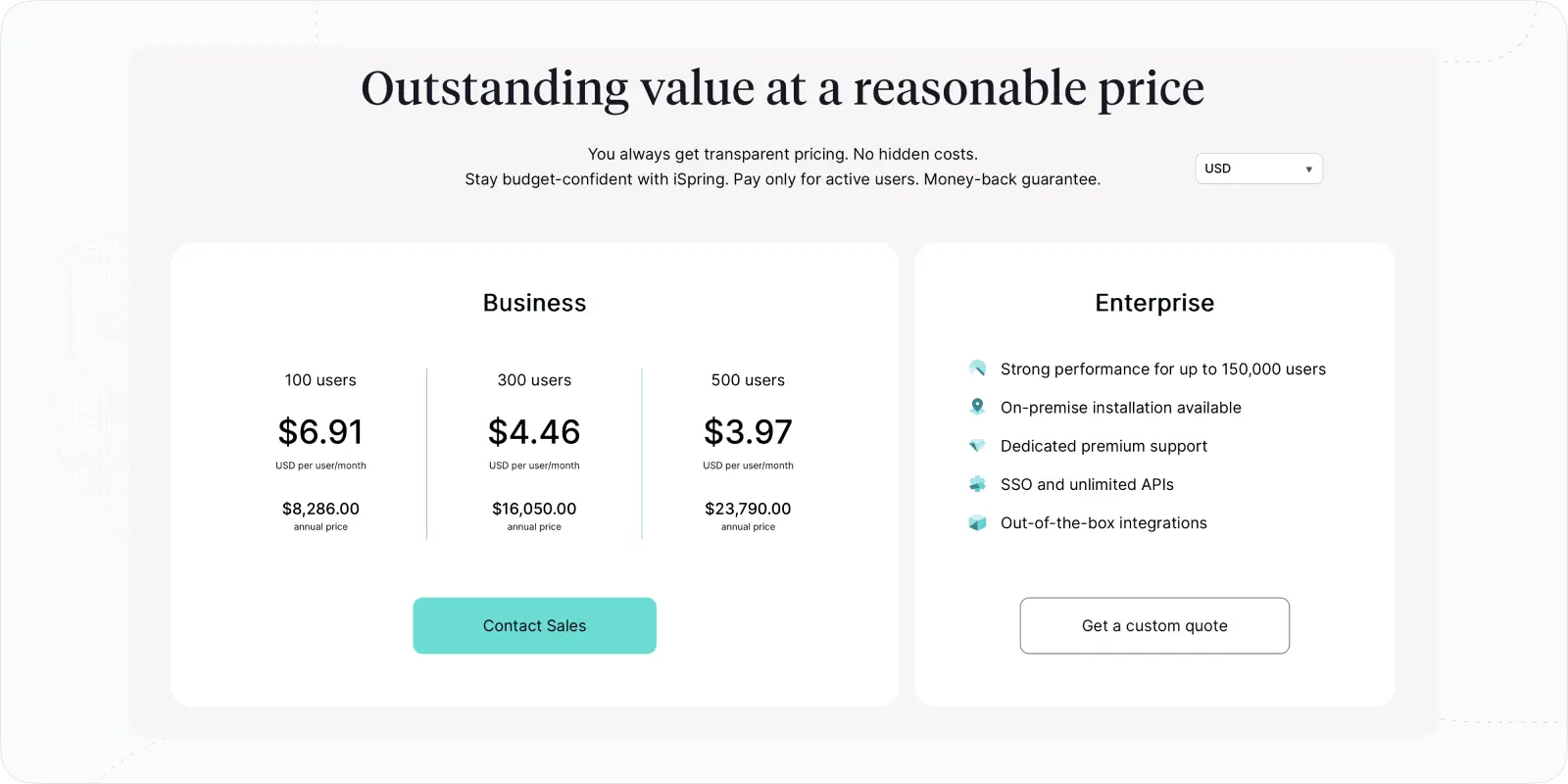
iSpring Learn pricing starts at $2.99/user/month (minimum 100 users, billed annually). Custom pricing for larger teams.
#8. SkyPrep – Best for Compliance Training and Certifications
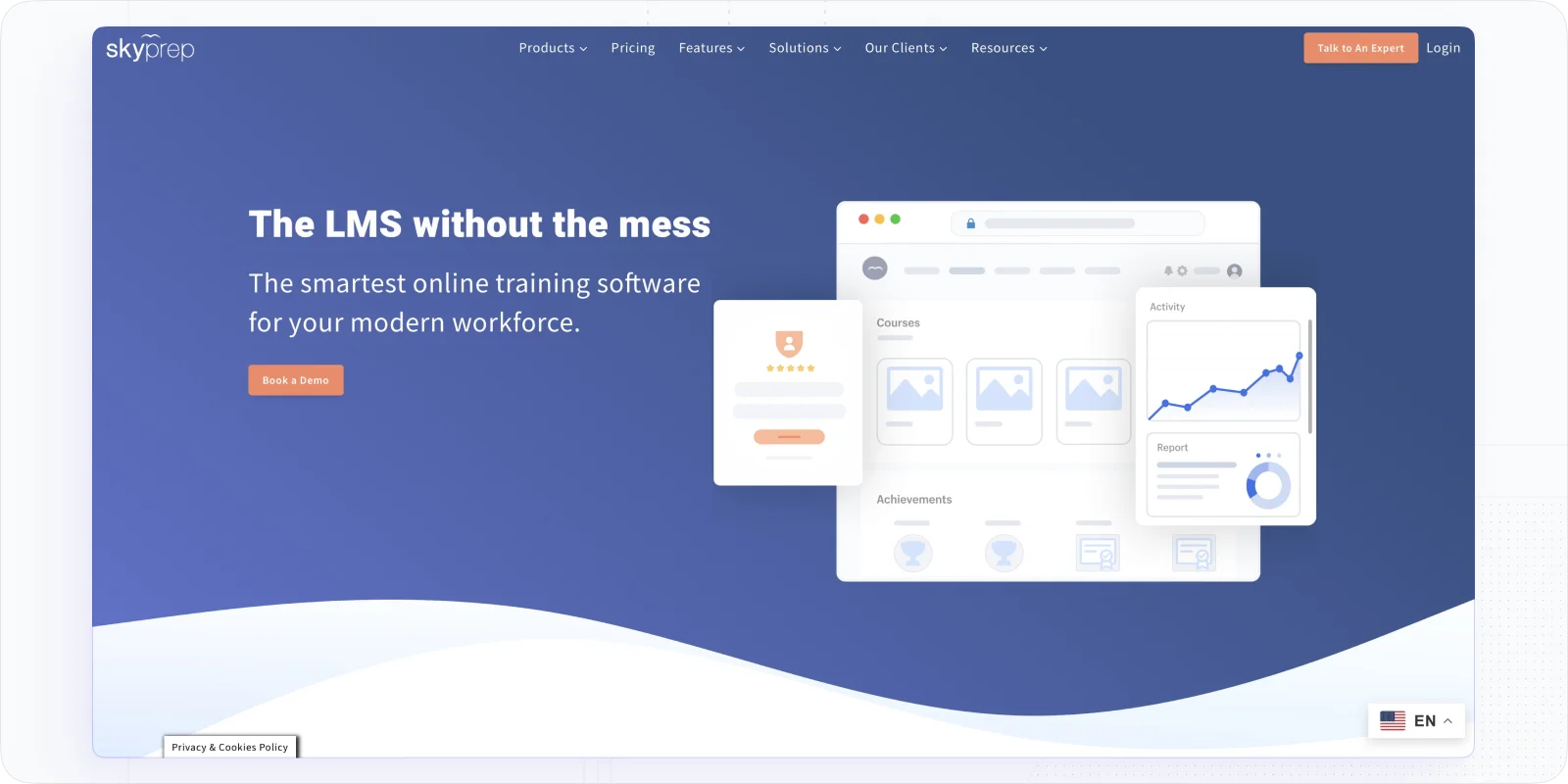
SkyPrep is built around the specific requirements of compliance-heavy industries: certification tracking, automated renewal reminders, audit-ready reporting, and white-label delivery. If your small business operates in healthcare, finance, construction, or any regulated environment, SkyPrep is worth a close look.
What makes SkyPrep special for small businesses
- Certification management. Automated renewal reminders and expiry tracking; useful for industries where lapsed certifications create compliance risk.
- White-label branding. Deploy under your own brand for internal teams or external audiences without additional configuration.
- Pre-built course templates. A content library with ready-to-use templates cuts down initial build time for common compliance and onboarding topics.
- Drag-and-drop course builder. No technical background needed to create or update courses.
- Audit-ready compliance reports. Detailed tracking built for regulated industries; pull reports on demand without manual data exports.
Potential challenges
- Managers’ access is limited for some administrative functions.
- Notifications about course availability can require manual tracking.
- Advanced reporting and automation may require setup time.
- Pricing is quote-based, which can be expensive for small teams.
SkyPrep pricing
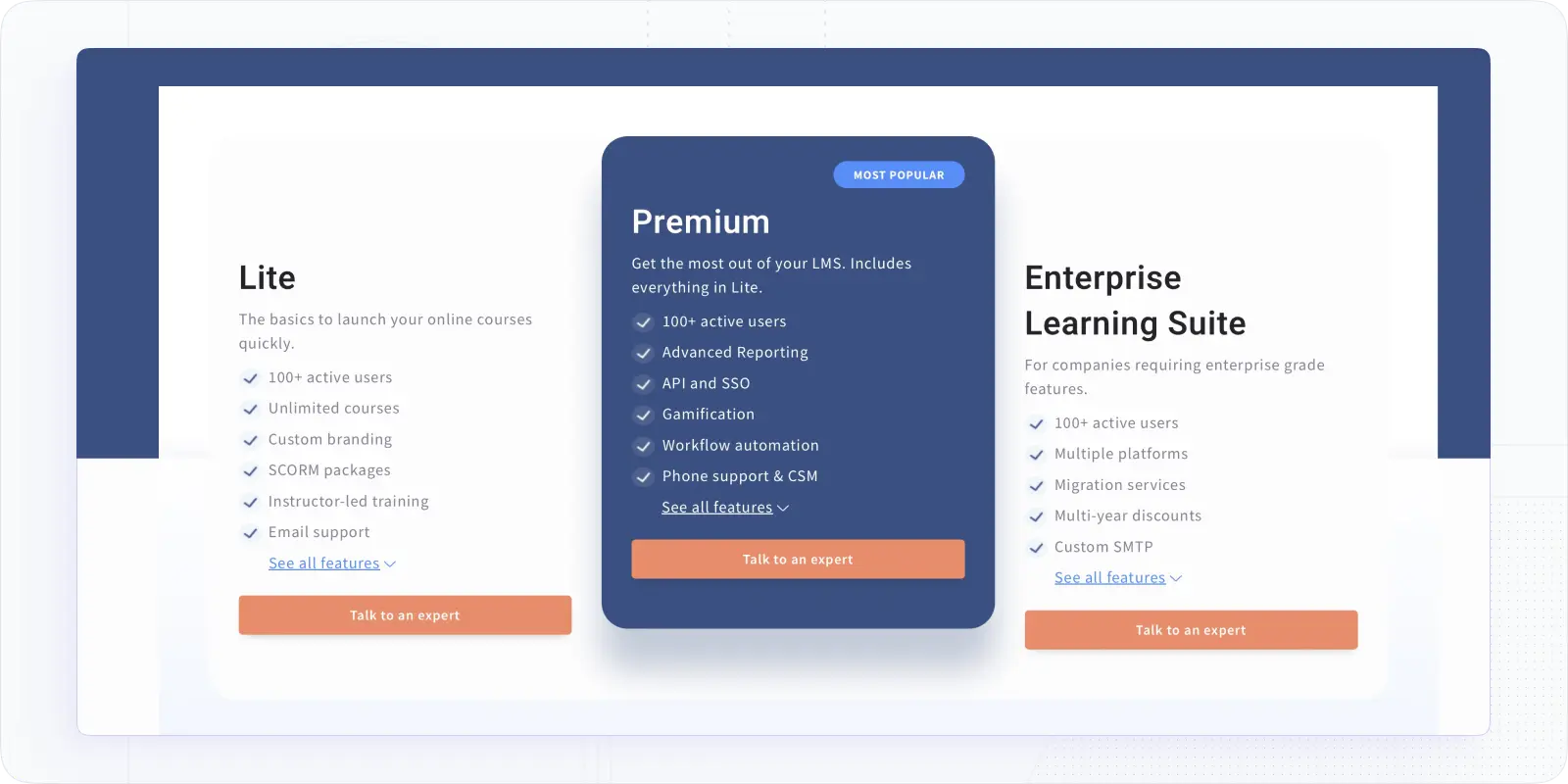
SkyPrep pricing depends on the number of active learners, selected features, integrations, support level, and overall deployment complexity. Based on market benchmarks and real-world deal data, smaller deployments often fall around $5,000–$15,000 per year, mid-market implementations typically range from $20,000–$40,000 per year, and enterprise deployments frequently reach $60,000–$100,000+ annually.
#9. LearnUpon — Best for Growing Teams Running Multi-Audience Training
LearnUpon handles multi-portal training programs well — one account, separate branded portals for employees, customers, and partners. For small businesses that are growing fast and need to train more than one audience type, that's genuinely useful. The trade-off is pricing: this isn't a self-serve platform.
What makes LearnUpon stand out
- Multi-portal management for employees, customers, and partners
- Custom branding across different training portals
- Robust certification management and compliance tracking
- Native SCORM and xAPI content compatibility
- Smart automation for course assignments and reminders
Potential challenges
- Course setup can be time-consuming.
- Admin grouping limitations reduce flexibility.
- Older course versions clutter the interface.
- Quote-based pricing is typically $10,000–$50,000+/year — not right for early-stage small businesses.
LearnUpon pricing
LearnUpon pricing is quote-based. Not publicly listed. Typical starting cost is around $10,000–$15,000/year for smaller deployments.
#10. Bridge LMS — Best for Employee Development and Performance Management
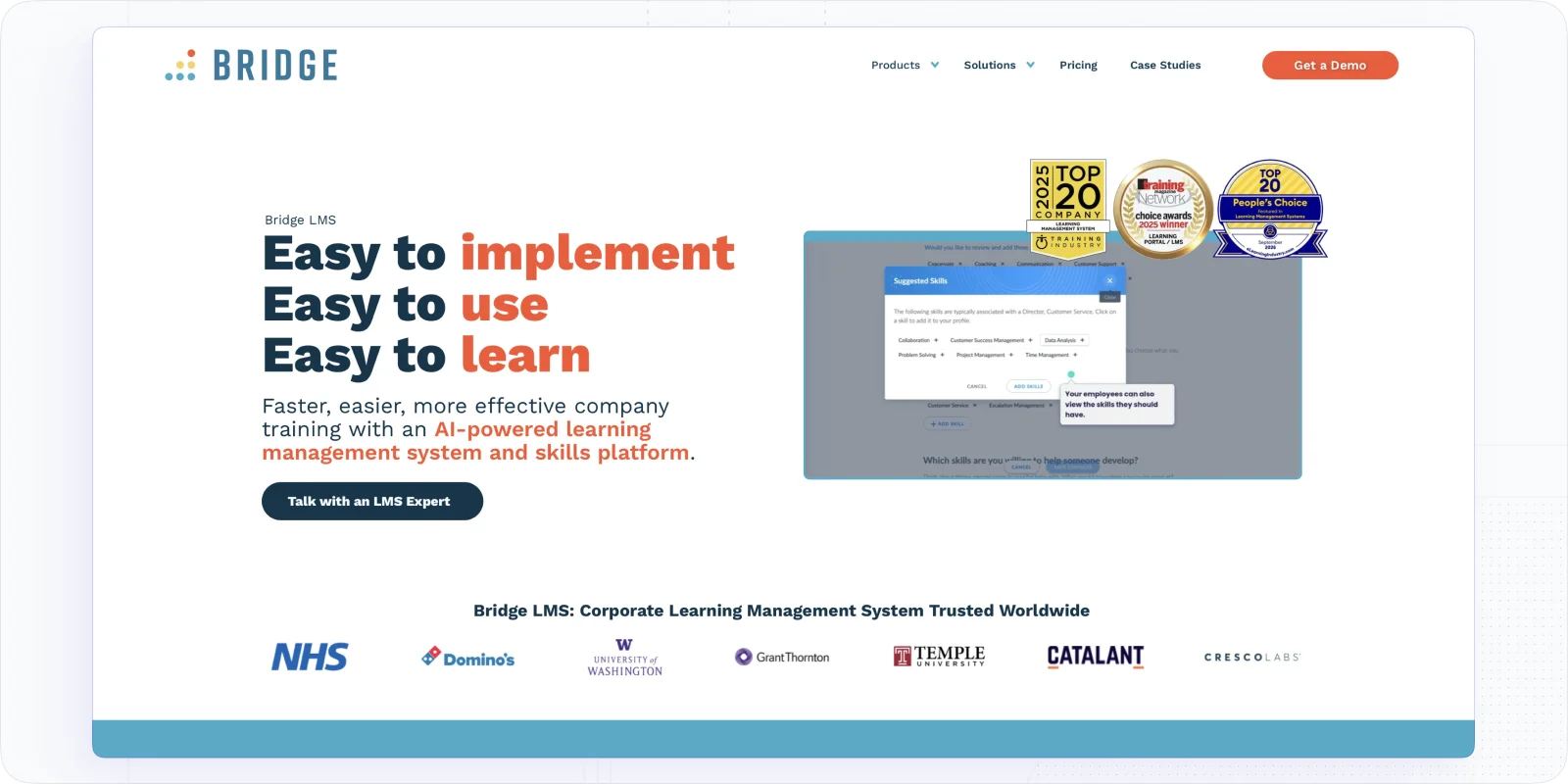
Bridge LMS connects learning with career development — it's not just an LMS, it also includes goal setting, 1:1 meeting tracking, and career path planning. For small businesses where employee retention is a real strategic priority, that combination is genuinely differentiated.
What makes Bridge LMS stand out
- Career path development: Learning programs connect directly to career progression; employees can see how completing a course moves them toward a specific role or skill level.
- Integrated goal setting: 1:1 meeting tracking and feedback conversations sit inside the same platform as the training; no switching between tools to connect learning with performance.
- Microlearning modules: Short, focused content that managers can build quickly without instructional design experience.
- Skill assessments and growth tracking: Dashboards show where individuals and teams are developing and where gaps remain.
- Mobile-friendly: Works on any device; relevant for teams that aren't desk-based full-time.
Potential challenges
- Managers have limited visibility into learner progress without additional reports.
- Subdomain setups can be complicated for multi-department training.
- Admin workflows sometimes require manual intervention.
- Starting price ($12,500/year) rules it out for very small teams or lean budgets.
Bridge LMS pricing
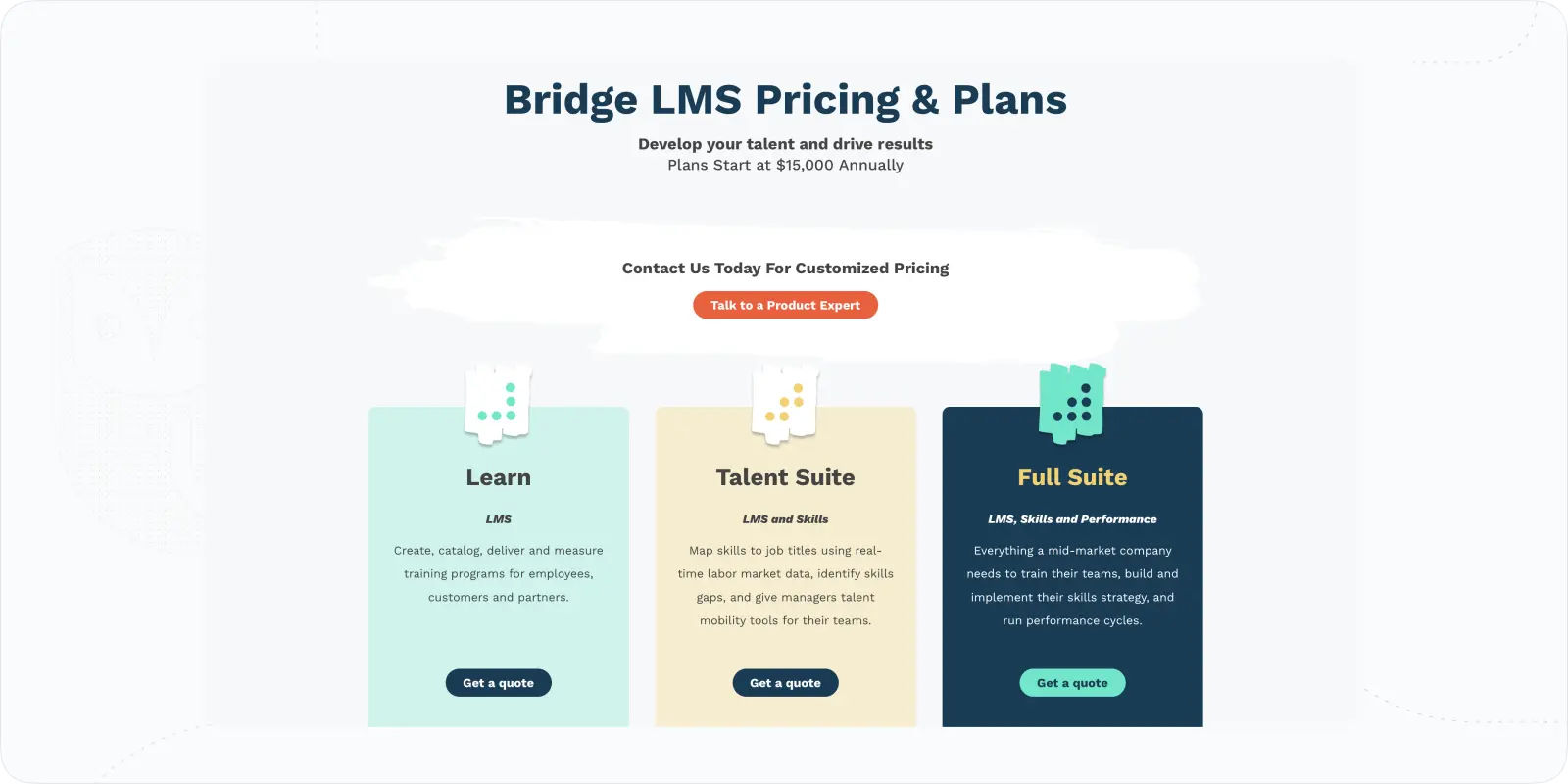
Bridge LMS pricing agreements start at $12,500/year. Final pricing depends on product selection (Learn, Talent Suite, or Full Suite), user count, and add-ons.
LMS for Small Business Comparison
| Platform | Best for | Pricing | Free trial | Mobile app | AI features |
|---|---|---|---|---|---|
| EducateMe | AI-powered corporate training | From $239/mo | Yes | No | Yes |
| TalentLMS | Personalised training | From $149/mo | Yes | Yes | Limited |
| Moodle | Open-source / tight budget | Free / from $170/yr (cloud) | Yes | Yes | No |
| LearnWorlds | Course sales & marketplace | From $24/mo | Yes | Yes | Limited |
| Trainual | SOPs & onboarding | From $249/mo | Yes | Yes | No |
| LearnUpon | Multi-audience training | From ~$10,000/yr | No | Yes | No |
| iSpring Learn | Fast SCORM course creation | From $2.99/user/mo | Yes | Yes | Limited |
Conclusion
Finding the right LMS for a small business comes down to one question: what does your team actually need to run training without adding a full-time administrator? The answer varies a lot depending on your industry, how compliance-heavy your training is, and whether you're training employees, customers, or both.
I'd start with EducateMe if you want an AI-native platform that handles onboarding, upskilling, and sales training in one place without enterprise pricing. The 14-day free trial means you can test it with a real use case before committing. If you're operating in a compliance-heavy field, SkyPrep or iSpring Learn are worth evaluating seriously. And if your business model involves selling training rather than delivering it internally, Kajabi is the clearer fit.
💎 Advice: Don't buy on features. Buy on what you'll actually use in month three, when the initial setup enthusiasm has worn off.
Frequently asked questions
TalentCards starts at $50/month for 50 users and is the most affordable fully hosted option for teams delivering mobile-first or microlearning content. EducateMe starts at $239/month with no per-user fees, which works out significantly cheaper than per-seat platforms once your team grows past 30–40 learners.
An LMS (learning management system) is built for course-based learning — structured content delivery, assessments, certifications, and completion tracking. Trainual is more of a process documentation tool: it's great for SOPs and onboarding checklists but doesn't handle formal certification or compliance training, for example. If you need both, EducateMe covers the LMS side while integrating AI tools and automation natively.
Yes. EducateMe is built for teams without dedicated LMS administrators. Our customers include a legal professional association running 10+ courses and a nonprofit leadership program, both are fully self-sufficient on the platform. They reach out to support occasionally, but don't need hand-holding to run their programs day-to-day.
Not always, but the time savings are real when you do use them. AI-assisted course creation can turn a 3-hour build into a 45-minute one, which matters a lot when the person building the course also has six other responsibilities. The AI Roleplay Coach is more specialised: it's most valuable for sales teams and customer-facing roles where practice scenarios make a measurable difference. Sincere Home Buyers, a real estate company, is actively using it for acquisition manager training.