
Trainual Pricing in 2026: Plans, Real Costs, and What You’ll Pay as You Scale

By Alexa BerezinaAlexa BerezinaL&D Specialist & CSM LeadMy name is Oleksandra (Alexa), and I’m a certified Learning & Development specialist focused on turning complex knowledge…Read more
L&D Specialist & CSM Lead
7 min read
Trainual pricing is rarely debated at purchase. The starting price looks reasonable, the value is easy to justify, and the initial rollout appears contained. But as implementation needs, additional seats, and add-ons build up, the total cost often ends up far higher than what was originally approved.
This is because Trainual’s pricing model scales with usage. As more teams are added and the platform becomes embedded across the organization, spend grows alongside adoption rather than remaining tied to the original scope.
For organizations that want clarity before committing, this article breaks down how Trainual pricing works. It highlights what each plan includes, how costs scale with headcount, which additional fees to expect, and when the platform is worth the investment.
How Trainual Pricing Works
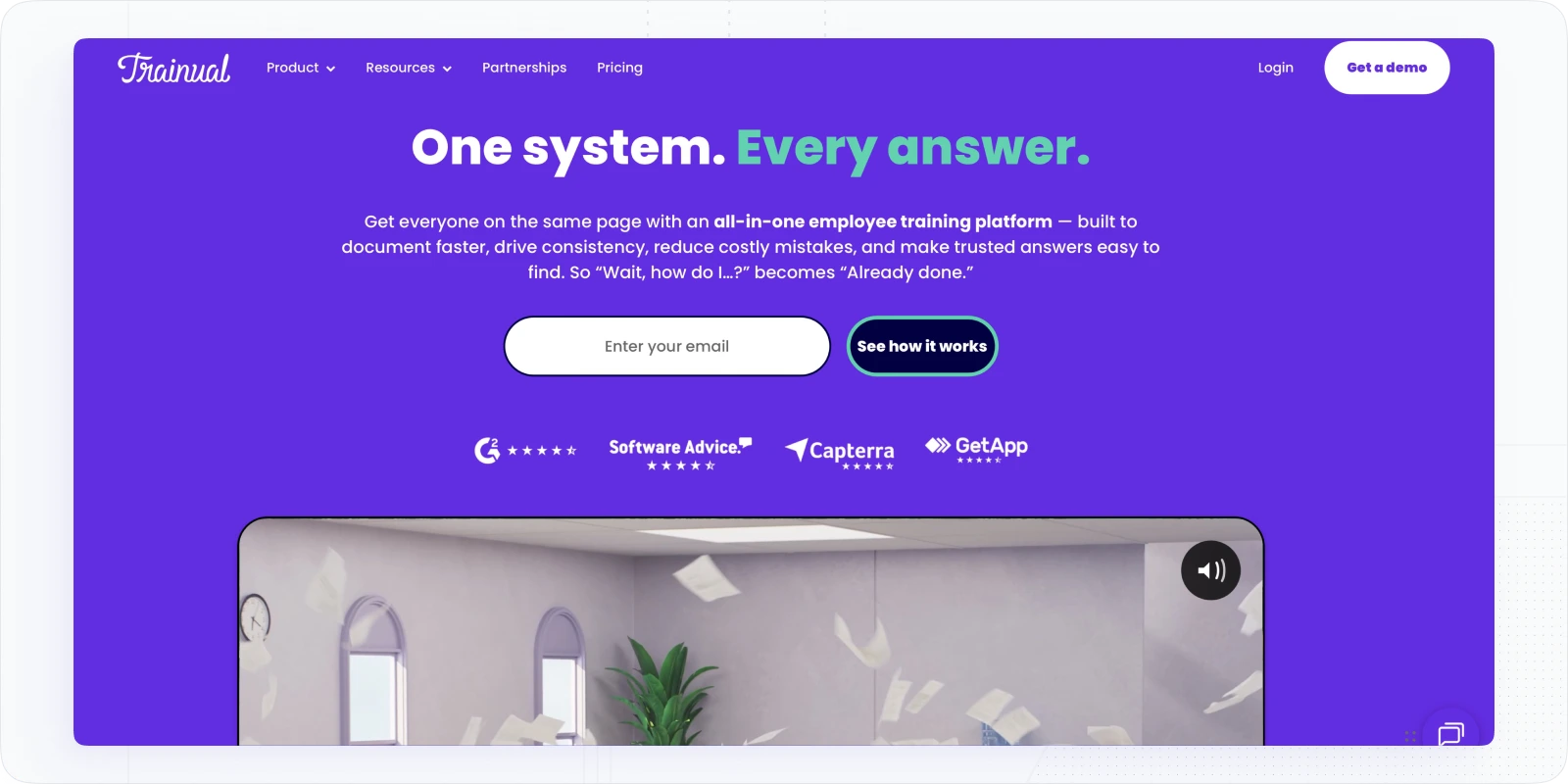
Trainual uses a tiered subscription model with seat-based scaling. According to third party platforms like Capterra, plans are structured as Core, Pro, Premium, and Enterprise, with higher tiers adding more advanced training workflows, storage, security features like SSO, and expanded support and integration options.
What’s consistent across most Trainual deals is how pricing behaves, even though exact figures are now quote-driven:
- A pricing floor typically applies. Based on historical pricing and third-party listings, buyers should expect a minimum annual commitment equivalent to roughly $249 per month for 10 seats, billed annually. These figures reflect common market reference points rather than official list pricing.
- Costs scale by seats. Third-party sources commonly reference starting ranges for Core, Pro, and Premium plans, with additional users typically priced at $3–$5 per seat per month, depending on tier.
- Implementation is a fixed upfront cost. Trainual applies a $1,000 one-time implementation fee, which should be included in first-year budgeting.
- Enterprise pricing is fully custom. Enterprise deployments introduce API access, security documentation, and expanded rollout and support, and are priced via quote.
The practical takeaway: even without public list pricing, Trainual’s total cost is shaped by a combination of subscription tier, seat growth, required implementation, and add-ons, all of which scale as adoption expands.
See how real managers discuss Trainual pricing after rollout. Read firsthand accounts of teams reassessing Trainual costs as seat counts grow.
Trainual Pricing Plans Breakdown (Estimated)
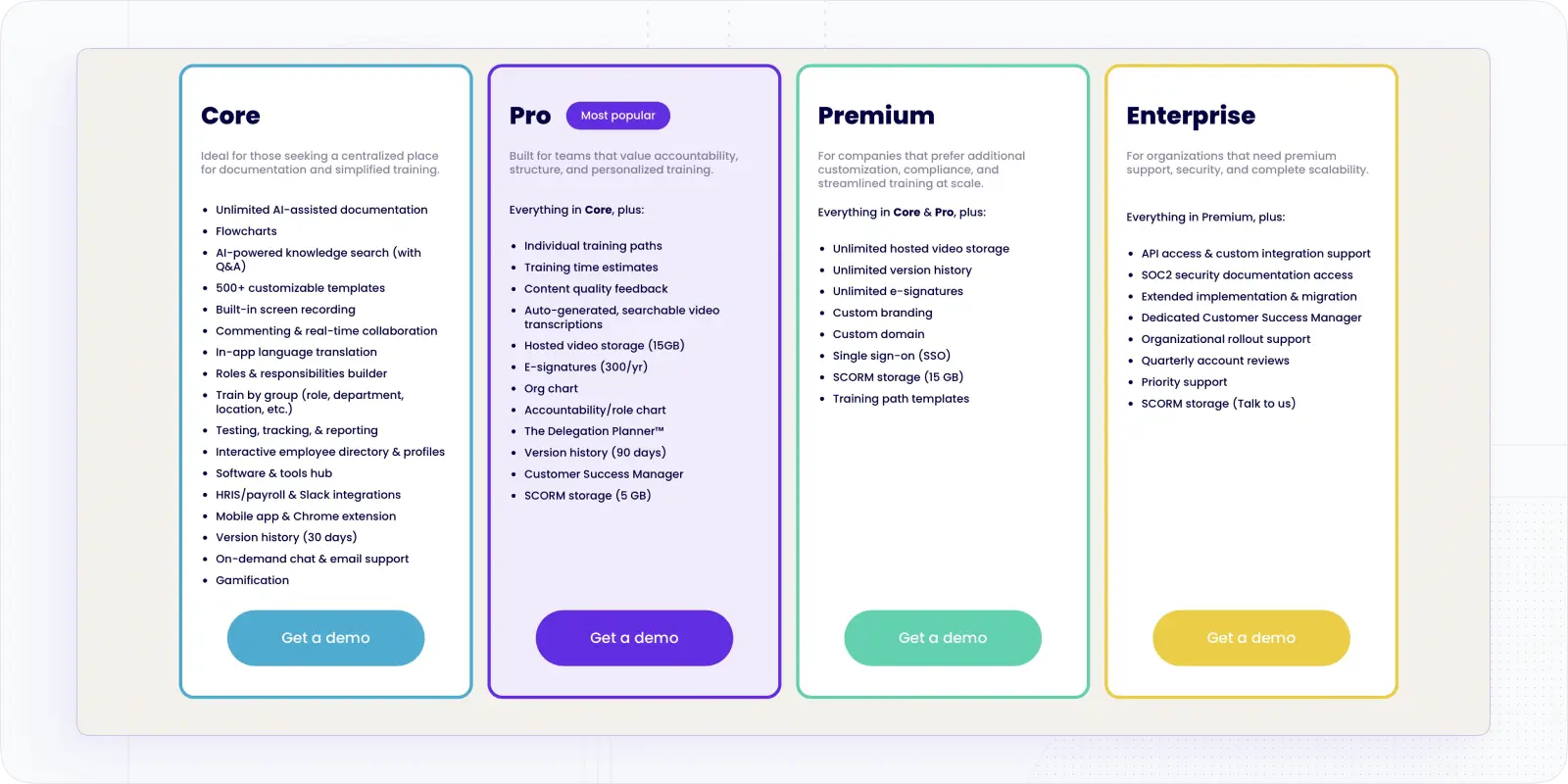
Trainual no longer publishes detailed per-plan pricing publicly. Instead of listing exact prices, the platform requires buyers to request a demo and receive a custom quote based on team size, features, and rollout scope. The table below reflects how plans are positioned, what’s included at each level, and how buyers should think about them, rather than exact costs.
| Plan | What’s included (summary) | Price (starting) | Best for |
|---|---|---|---|
| Core | AI-assisted documentation, flowcharts, 500+ templates, screen recording, knowledge search (Q&A), collaboration, training by group, testing & reporting, integrations (HRIS, Slack), mobile app, gamification | Not publicly listed; $249/mo + $3 per seat | Small teams needing centralized learning documentation and simple training |
| Pro | Everything in Core plus individual training paths, training time estimates, video transcription, hosted video (15GB), e-signatures (300/year), org chart, Delegation Planner™, SCORM storage (5GB), Customer Success Manager | Not publicly listed; $319/mo + $4 per seat | Growing teams needing structured onboarding and accountability |
| Premium | Everything in Core & Pro plus unlimited video storage, unlimited version history, unlimited e-signatures, SSO, custom branding, custom domain, training path templates, SCORM storage (15GB) | Not publicly listed; $399/mo + $5 per seat | Mid-size companies scaling training across departments |
| Enterprise | Everything in Premium plus API access, SOC 2 documentation, extended implementation and migration support, dedicated CSM, rollout support, priority support, quarterly reviews | Quote-based (custom) | Large organizations with advanced security, integration, and support needs |
Additional pricing notes to plan for:
- A one-time implementation fee applies to every plan. This fee is required regardless of tier and should be treated as part of the first-year cost, not an optional service.
- The Premium course and compliance library is not included by default. Access to the 390+ prebuilt courses is offered as a paid add-on and must be budgeted separately.
- Pricing is fully demo-based and quote-driven. Trainual no longer offers self-serve or publicly listed plan pricing; final costs are determined during the sales process based on team size, features, and rollout scope.
Trainual Pricing Insights
When estimating total spend, two factors usually matter more than the plan name itself. Let’s explore them.
How pricing scales with seats
The platform’s pricing is fundamentally seat-based. According to third-party listings, Trainual pricing per user typically falls between $3–$5 per month, depending on the plan. While the per-user cost appears modest in isolation, it compounds quickly as adoption expands across teams and departments.
A rollout that starts with a single department often expands to Operations, Customer Support, Sales, and HR. At that point, a 100-seat deployment can move from a reasonable subscription to a meaningful recurring budget line.
A simple way to sanity-check expected cost is to:
- Start with the base monthly price for your plan (Core, Pro, or Premium).
- Add (additional seats × $3–$5 per month).
- Convert the total to an annual figure.
- Factor in the $1,000 one-time implementation fee.
This approach helps surface the real first-year cost early, before adoption accelerates.
Why Trainual can still be worth it
Trainual delivers the most value when the primary cost you’re trying to reduce isn’t software spend: but manager time, inconsistent onboarding, and repeated explanations. For organizations onboarding the same roles repeatedly with shared SOPs, Trainual can standardize training delivery, reduce knowledge gaps, and improve consistency across teams.
In those cases, the return often comes from time saved and fewer onboarding errors, rather than from the platform’s feature set alone.
Additional Costs to Consider
Subscription pricing is only part of the total cost. For many buyers, first-year spend is shaped more by setup, rollout, and expansion than by the license itself, especially when existing content needs to be migrated, standardized, and governed.
The most common additional costs to plan for include:
- Implementation and rollout support: The $1,000 implementation fee is the baseline. Beyond that, larger rollouts often require internal time for ownership setup, permissions, content structure, and governance. These efforts don’t always appear on an invoice, but they still affect the true cost of deployment.
- Content migration from legacy sources: Moving SOPs from tools like Google Drive, Notion, or Confluence typically takes longer than expected. Documents often need to be cleaned up, standardized, de-duplicated, and mapped to specific roles or training paths before they’re usable inside Trainual.
- Seat growth and department expansion: Trainual tends to spread once it proves useful. After initial adoption, additional departments often request access. While this improves consistency, it also changes the budget model as seat counts rise faster than originally planned.
- Paid add-ons (course library): Trainual’s Premium Courses add-on, which includes 400+ prebuilt courses, can reduce the need to create compliance or foundational content from scratch. However, it is not included in base plans and should be requested explicitly during pricing discussions.
- Custom integrations and enterprise requirements: Organizations that require SSO, API access, or formal security documentation typically move into Premium or Enterprise pricing conversations, where costs are more customized and quote-driven.
So, is Trainual Worth it in 2026?
Trainual is worth the investment when operational consistency is prioritized over pricing flexibility. For organizations that need to standardize SOPs, onboarding, and internal training across multiple teams, Trainual delivers control, structure, and repeatability, but at the cost of pricing simplicity.
When Trainual makes sense
Trainual works best for organizations that:
- Run shared, frequently changing SOPs that training must stay aligned with.
- Onboard at scale, where repeatable training paths reduce manager time and variation.
- Value fast, searchable documentation supported by AI-assisted tools.
In these environments, the costs for this learning management software is often justified by reduced onboarding friction and fewer process gaps.
When Trainual is likely the wrong choice
Trainual is a weaker fit for organizations that:
- Require transparent, self-serve pricing with little or no sales involvement.
- Have tight budgets that don’t allow upfront fees or seat growth.
- Need LMS-first capabilities, such as multi-tenant academies or external-facing training programs.
In those cases, platforms designed around learning delivery rather than documentation may offer better value.
Bottom line: Trainual is not a lightweight training tool. It’s a documentation-driven enablement system that becomes infrastructure as adoption grows. If that tradeoff aligns with your operating model, the pricing can make sense. If not, the cost will surface later, usually during budget review.
Feel that you need another solution for your training needs? Explore alternatives to Trainual.
For organizations that need a clearer pricing model or a more LMS-centric setup, it can be useful to compare Trainual with platforms designed primarily around learning delivery rather than documentation. Solutions like EducateMe focus on structured training programs, broader LMS capabilities, and more predictable pricing as teams grow.
How EducateMe solution can help you?
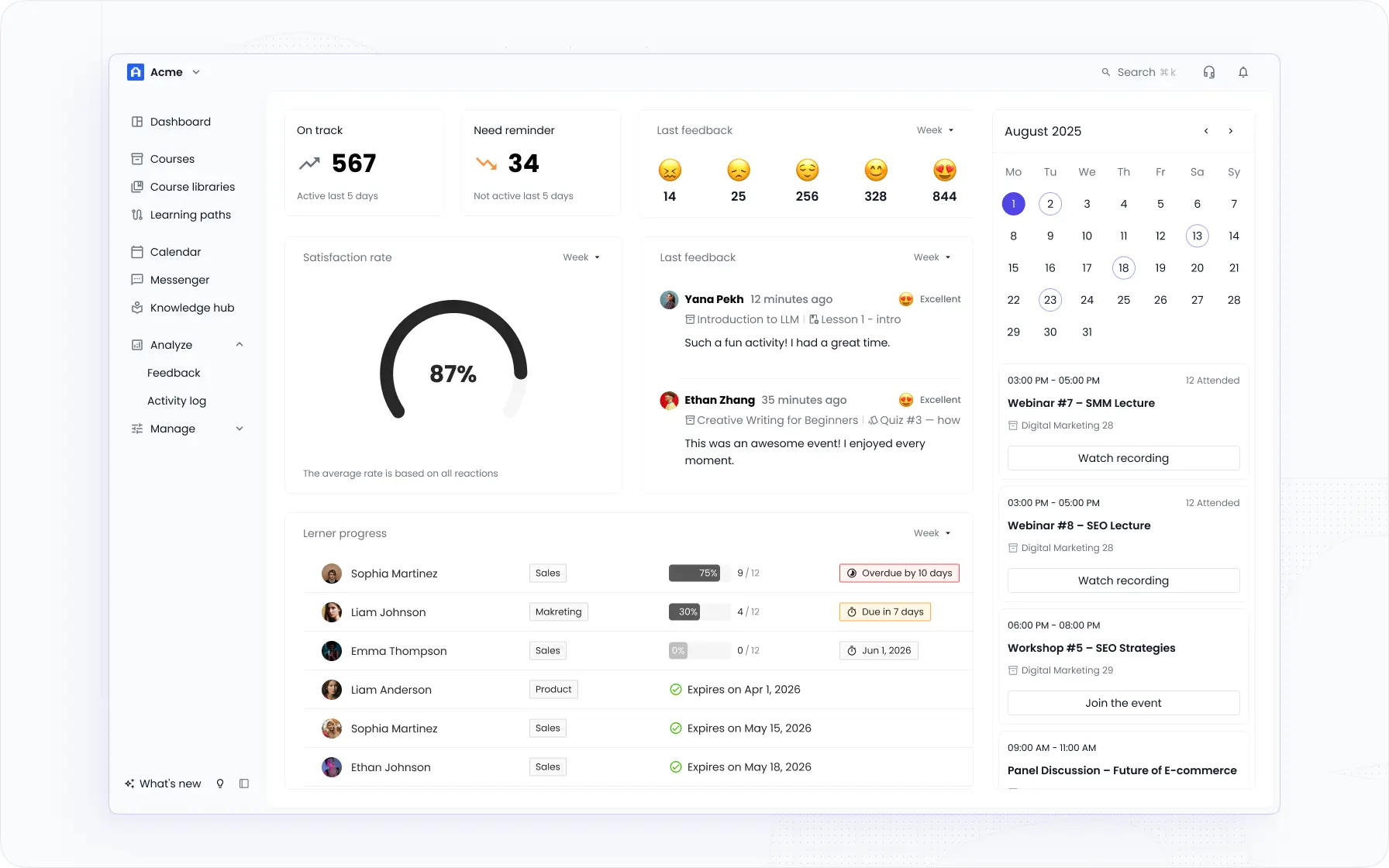
EducateMe makes corporate learning feel easy, not exhausting. It’s an AI-first learning management system built for teams, training providers, and growing organizations that want powerful tools without the usual long setup times or enterprise-level price tags.
Here’s what you get with EducateMe:
- Pricing that grows with you – stay flexible and only pay for what you actually use.
- Fast, hassle-free onboarding – launch a fully branded training portal in just a few hours.
- AI-powered automation – build content faster and automate the admin work.
- Multi-tenancy support – perfect for agencies, multiple departments, or client training programs.
- Full white-label control – customize everything so the platform looks and feels like your brand.
- All-in-one feature set – live sessions, progress tracking, analytics, and integrations in a clean, intuitive interface.
- Risk-free trial – explore every feature before you commit.
Want to see how EducateMe LMS can fit your training strategy? Book a demo
Frequently asked questions
Trainual’s plans start at $249/month for 10 seats on the Core tier, which works out to about $24.90 per user if you use all 10 seats. If you need more than 10 seats, additional users cost about $3 each per month on Core, $4 each on Pro, and $5 each on Premium. Higher tiers start at $319/month (Pro) and $399/month (Premium) for 10 seats, all billed annually—so total monthly cost rises as you add seats or choose advanced features.
“Better” depends on what you need most — some alternatives offer deeper automation, stronger analytics, or more robust e-learning features. Platforms like EducateMe, Lessonly, and other AI-friendly LMS tools are often recommended if you want faster content creation or enterprise-level customization. The right choice is the one that best fits your goals, team size, and budget.
Yes, Trainual works well for small businesses that want a simple way to document processes and train employees. It’s easy to set up and doesn’t require a big learning curve, so teams can start using it fast. That said, very small teams should evaluate the per-user cost to make sure it fits their budget.
Trainual includes basic tracking features that show who has completed which courses and how far employees are in their training. You get visibility into progress and accountability, which helps keep training on track. If you need advanced performance analytics or time tracking, you may want to pair it with other tools.