
LearnUpon Pricing: What It Really Costs, What You’re Paying For, and When It’s Worth It

By Alexa BerezinaAlexa BerezinaL&D Specialist & CSM LeadMy name is Oleksandra (Alexa), and I’m a certified Learning & Development specialist focused on turning complex knowledge…Read more
L&D Specialist & CSM Lead
7 min read
How much does LearnUpon cost? It’s the most common question people search for when evaluating the platform, and also the one LearnUpon doesn’t answer with a simple number.
There’s no public pricing table, no instant quote, and no clear “starting from” figure on the official LearnUpon website or even on its pricing page. Instead, LearnUpon uses a quote-based pricing model that depends on how many active learners you have, which features you need, and how complex your training setup is. For enterprise and upper mid-market buyers, this can make early budgeting and vendor comparison harder than it should be.
This guide breaks down LearnUpon pricing for its LMS in practical terms: how the pricing model works, what companies typically pay, where extra costs come from, and when LearnUpon is actually worth the investment.
How does LearnUpon Pricing Work?
LearnUpon pricing is quote-based and usually calculated around monthly active learners, plan tier, and add-ons like portals and integrations.
So instead of picking a public plan with a fixed price, you’re getting a custom quote based on how your organization will actually use the LMS.
Step 1: LearnUpon prices by “active users,” not total accounts
Most LearnUpon contracts follow a per-user subscription model, but the key detail is who counts as a billable user.
In LearnUpon’s case, pricing is typically tied to monthly active learners: people who log in and use the platform during a billing period. This can work in your favor if only part of your audience trains each month. It becomes less predictable when usage spikes due to onboarding waves, compliance deadlines, or partner training launches. In practice, LearnUpon pricing per user is calculated around monthly active learners rather than total registered accounts.
This pricing dynamic is frequently discussed by buyers in community threads like this LMS pricing experience discussion on Reddit, where teams compare how “active” is interpreted in real contracts.
Before signing, it’s worth clarifying:
- How do you define an “active learner”?
- Do users count if they only log in once?
- Is there a monthly cap or overage fee if usage spikes?
- Are admins/instructors included?
Step 2: Your tier sets the feature baseline
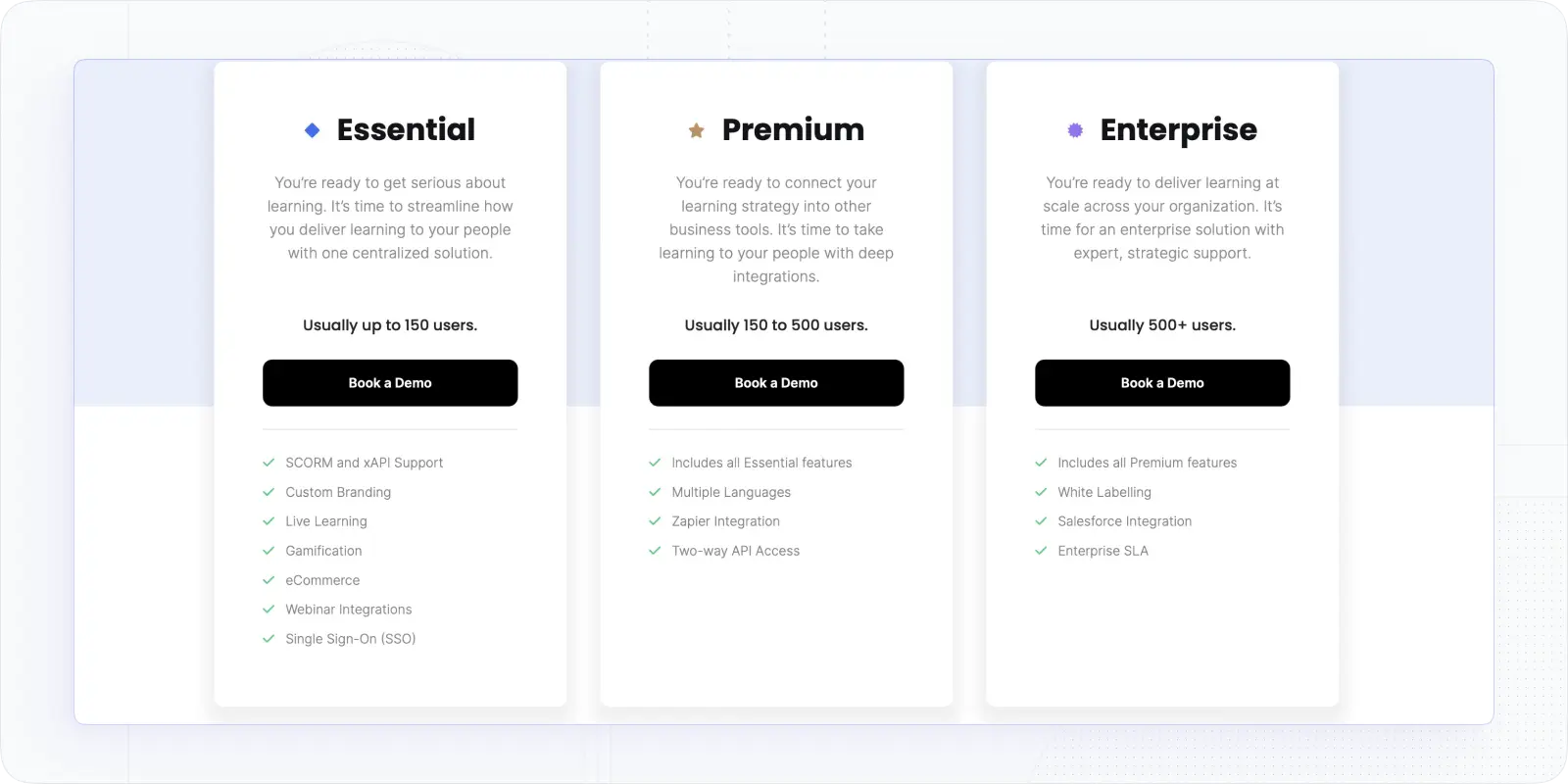
LearnUpon typically frames packaging as Essential, Premium, and Enterprise, and while exact bundles vary by contract, the tiers usually align with user count and complexity:
- Essential (usually up to ~150 users): core LMS features and a simpler rollout
- Premium (usually ~150–500 users): more integrations, automation, and operational flexibility
- Enterprise (usually 500+ users): advanced support, security expectations, and custom requirements
This is where LearnUpon LMS features pricing becomes important, since access to integrations, automation, and advanced reporting is tied to the tier you’re quoted.
Step 3: Your quote is shaped by scope, not just headcount
Two companies with the same learner count can receive very different LearnUpon quotes because pricing often scales with:
- Number of portals (employees vs partners vs customers)
- Integrations (SSO, HRIS, CRM, API usage, Salesforce/Zapier)
- Branding and white-label requirements
- Support level & SLAs (especially for Enterprise)
- Implementation complexity (migration, setup, training workflows)
If you’re training multiple audiences with separate experiences, portals are often the silent cost driver.
Step 4: Annual billing is the norm
LearnUpon is typically sold on an annual contract, with many buyers reporting a minimum annual commitment. Multi-year agreements may reduce the effective per-user cost, but they also lock you in longer, which matters if you’re evaluating at renewal.
Budget reality check: even if per-user math looks small, minimums and setup costs can push first-year spend higher than expected.
In short:
- LearnUpon pricing is custom and usually tied to monthly active learners
- Tiers (Essential/Premium/Enterprise) set a baseline, but final packaging is negotiated
- Cost rises with portals, integrations, and support requirements
- Expect annual contracts and minimum commitments
LearnUpon Pricing Breakdown
So what does LearnUpon LMS pricing look like in real numbers?
Based on buyer reports, procurement data, and reviews from sources like Capterra’s LearnUpon pricing page, LearnUpon generally falls into the mid-market to enterprise pricing range.
Industry procurement data also supports these ranges. According to Vendr, which tracks real contract data from SaaS buyers, LearnUpon pricing varies widely depending on learner volume, contract length, and scope. The LearnUpon marketplace page on Vendr shows that most organizations negotiate pricing individually, with meaningful differences between mid-market and enterprise deployments, reinforcing why two companies with similar headcounts can end up with very different annual costs.
To be clear: LearnUpon doesn’t publish official prices, and every contract is negotiated. But most buyers see costs fall into fairly consistent bands once user counts and scope are defined.
Typical LearnUpon pricing by tier
| Plan/Deployment Type | Core Features Included | Typical Annual Price Range | Best For |
|---|---|---|---|
| Entry/Essential | Core LMS, course creation, SCORM & xAPI support, live learning, basic reporting, limited portals | ~$10,000–$20,000/year | Small teams or first-time LMS buyers centralizing training |
| Mid-Market/Premium | Advanced reporting, automations, integrations, multiple portals, API access, customer success support | ~$25,000–$50,000+/year | Growing organizations with structured, multi-audience training |
| Enterprise | Unlimited portals, white labeling, Salesforce integration, enterprise SLAs, custom integrations, global support | $80,000–$100,000+/year | Large or regulated enterprises with complex requirements |
These ranges assume annual billing and a fairly standard setup for each tier. More customization usually means a higher quote.
A few nuances matter here:
- Pricing scales with active learners, not total users
A company with 1,000 registered users but only 300 active each month may pay less than expected, unless usage spikes.
- Portals are a major cost driver
Training employees, partners, and customers in separate portals often pushes accounts into higher tiers.
- Feature access increases by tier, but packaging isn’t fixed
LearnUpon doesn’t always sell “off-the-shelf” bundles. Enterprise contracts are fully custom.
- First-year costs are often higher
Onboarding, integrations, and implementation services can add to the initial invoice.
What mid-market buyers usually spend
For organizations with 300–800 learners, pricing commonly lands in the $25,000–$50,000 per year range. That’s the sweet spot where LearnUpon’s value proposition makes the most sense, enough complexity to justify the platform, but not so much that costs explode.
Looking at LearnUpon pricing in 2025, most mid-market and enterprise buyers still see costs fall into consistent ranges once scope and usage are defined.
So, in short:
- LearnUpon pricing usually starts around $10K–$15K/year
- Mid-market deployments often land at $25K–$50K+
- Enterprise setups frequently exceed $80K–$100K/year
- Final cost depends more on scope and complexity than headcount alone
Additional Costs to Expect with LearnUpon
The license price is only part of the total LearnUpon cost.
For many mid-market and enterprise buyers, the real budget impact shows up in add-ons, services, and contract details that sit outside the base subscription. Compared to many LearnUpon competitors, the platform prioritizes stability and support over fast purchasing or self-serve pricing.
This doesn’t mean LearnUpon is hiding fees; it’s more that enterprise LMS deployments rarely stop at “just the platform.”
Implementation and onboarding fees
For simple setups, onboarding may be included. But once you add:
- Multiple portals
- Data migration from a legacy LMS
- Custom workflows or reporting
- External audience training (partners or customers)
…professional services often come into play.
These fees are usually one-time, but they can meaningfully increase the first-year cost.
Typical buyer experience: Year one feels expensive. Year two looks more reasonable.
Integrations and system connections
LearnUpon integrates well with enterprise tools, but not all integrations are “free.”
Costs may increase if you need:
- HRIS integrations (for automated user sync)
- CRM integrations (Salesforce is common at Enterprise level)
- Advanced SSO configurations
- API access beyond basic use
Some integrations are bundled by tier, others are negotiated individually.
Tip: Ask which integrations are included vs supported — the wording matters.
Support tiers and SLAs
Base support is generally solid, but enterprise-grade SLAs are often negotiated separately.
That can include:
- Faster response times
- Dedicated account management
- Uptime guarantees
- Priority issue handling
For regulated or global organizations, this is usually non-negotiable.
Portals, branding, and customization
LearnUpon is often used to train different audiences in parallel: employees, partners, and customers.
Each additional portal can affect pricing, especially when combined with:
- Advanced branding
- White-labeling
- Custom domains
- Audience-specific workflows
Portals are one of the most common reasons quotes climb from “reasonable” to “surprisingly high.”
eCommerce and payment processing
If you plan to sell courses, LearnUpon supports eCommerce, but payment processing fees don’t disappear.
Expect:
- Third-party payment processor fees
- Possible configuration or setup costs
- Revenue-sharing considerations (depending on contract)
This won’t break budgets, but it should be modeled early.
Contract structure and renewal risk
Two final cost-related realities buyers often overlook:
- Annual billing is standard
Monthly flexibility is rare.
- Renewal pricing can change
Especially if usage grows or scope expands.
That’s not unique to LearnUpon, but it’s worth planning for, particularly if your learner base is growing fast.
So, the first year with LearnUpon usually costs more than just the license price, because many teams need onboarding help, system integrations, extra portals, or higher support levels. Portals and integrations tend to increase the total cost the most, often without being obvious at first. For this reason, it’s important to budget for the total cost of ownership, not only the per-user price you see in the quote.
Final Verdict: Is LearnUpon Worth the Price?
LearnUpon is worth the price if you need a stable, enterprise-grade LMS and are comfortable with custom pricing.
It works well for organizations running structured training at scale and needing multiple portals, integrations, and dependable support.
For teams with simpler needs, the platform can feel heavy: both in cost and in buying process. If transparent pricing, faster setup, or more flexibility matter more than enterprise structure, LearnUpon may not be the best fit. Buyers also frequently compare Docebo vs LearnUpon when evaluating enterprise LMS options, especially around pricing flexibility, AI features, and implementation complexity.
In those cases, many buyers explore LearnUpon LMS alternatives, especially platforms that offer clearer pricing and faster implementation.
If transparent pricing, faster setup, or more flexibility are priorities, EducateMe can be a strong alternative to LearnUpon. Unlike LearnUpon’s quote-based model, EducateME offers clear, predictable pricing with no hidden fees.
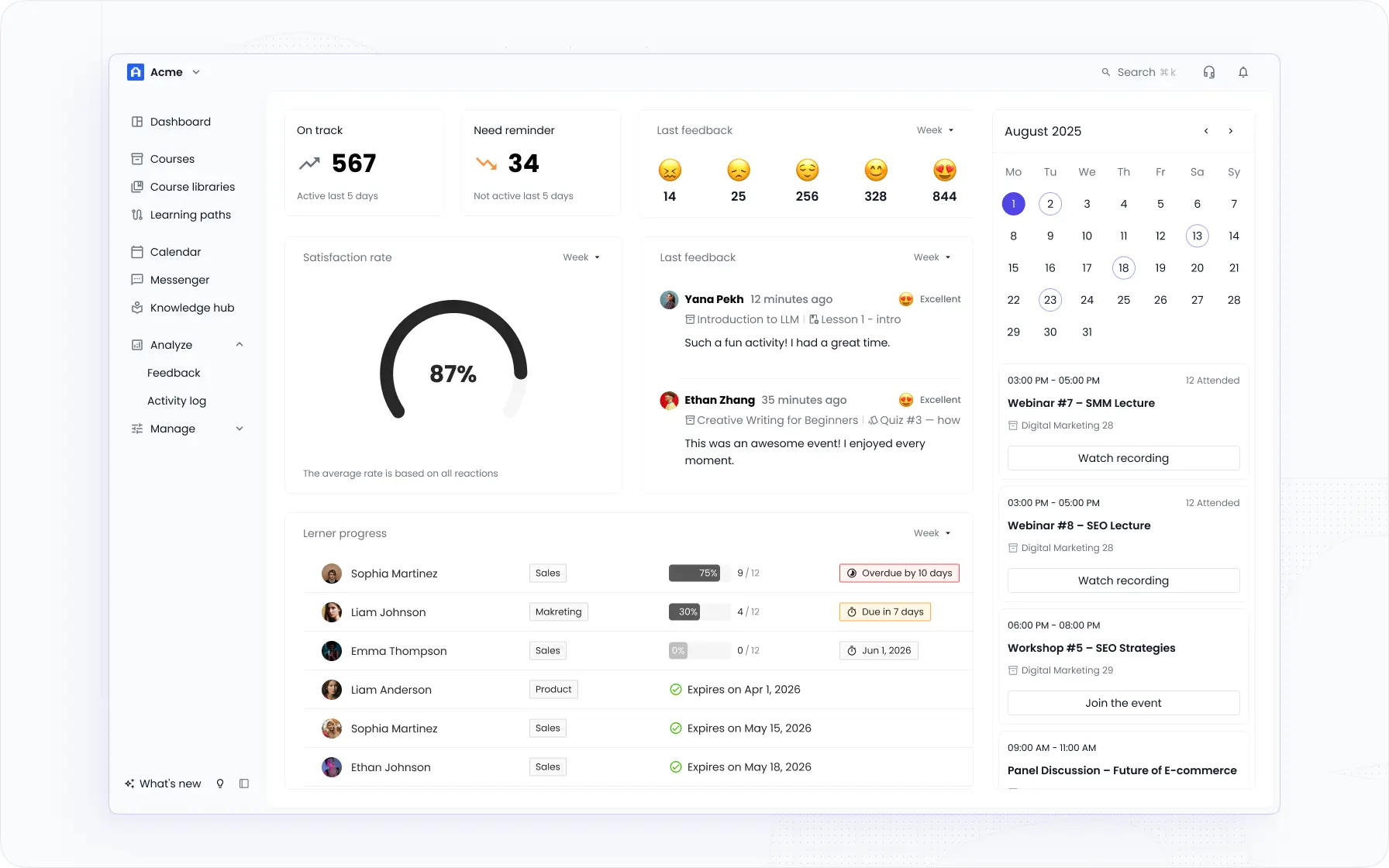
It also provides easy onboarding, intuitive course management, and scalable options for teams of all sizes, making it ideal for organizations that want a simpler, more budget-friendly LMS without sacrificing key features.
Ready to see it in action? You can book a demo or try EducateME free for 14 days to explore its features and find out why it’s becoming a preferred alternative for teams evaluating LMS platforms.
Frequently asked questions
LearnUpon doesn't publish a standard self-serve free trial or free tier. Because it sells through a quote-based enterprise process, most buyers evaluate the platform via a guided demo rather than open sign-up access. If hands-on testing before you commit budget matters, ask sales directly about trial or sandbox options. Some mid-market alternatives, EducateMe among them, offer full free trials with real product access so you can test before buying.
LearnUpon typically bills on monthly active learners, so your cost tracks usage rather than total accounts. That helps when only part of your audience trains each month, but it bites during spikes — onboarding waves, compliance deadlines, or partner training launches can push far more people into "active" status than your baseline. Before signing, confirm how "active" is defined, whether there's a monthly cap, and if overage fees apply when usage surges.
Focus on the levers that move the price: active-learner definition, number of portals, and tier packaging. Clarify exactly who counts as billable and push for a cap or overage terms you can live with. Trim portals or integrations you won't use in year one and add them later. Cap renewal increases in writing before signing, and ask for an all-in first-year figure that includes implementation, not just the per-user license rate.
Manageable, but plan for it. SCORM and xAPI content usually exports cleanly, and LearnUpon generally allows data export — confirm the format and any fees first. The harder work is rebuilding portals, remapping SSO and HRIS integrations, and moving learner records and completion history. Migrate in phases by audience rather than all at once, and clean up outdated courses before importing. EducateMe offers transparent pricing and quick setup for teams making this move, book a demo to compare.