



s iSpring LMS expensive? That’s the question most buyers ask after they’ve glanced at iSpring’s pricing and tried to map it to their own training reality. The platform is refreshingly transparent: prices are public, billing is straightforward, and there’s no forced sales call. But affordability isn’t just about the number on the screen.
iSpring LMS, also known as iSpring Learn, uses an active-user pricing model. When people search for iSpring Learn pricing or iSpring Learn LMS pricing, they’re usually trying to understand one thing: how much they’ll actually pay as learner activity scales. Depending on how often learners log in and how your training cycles work, that model can feel either very reasonable or surprisingly costly. To know which side you’re on, you need more than a price tag. You need context.
How iSpring LMS Pricing Works
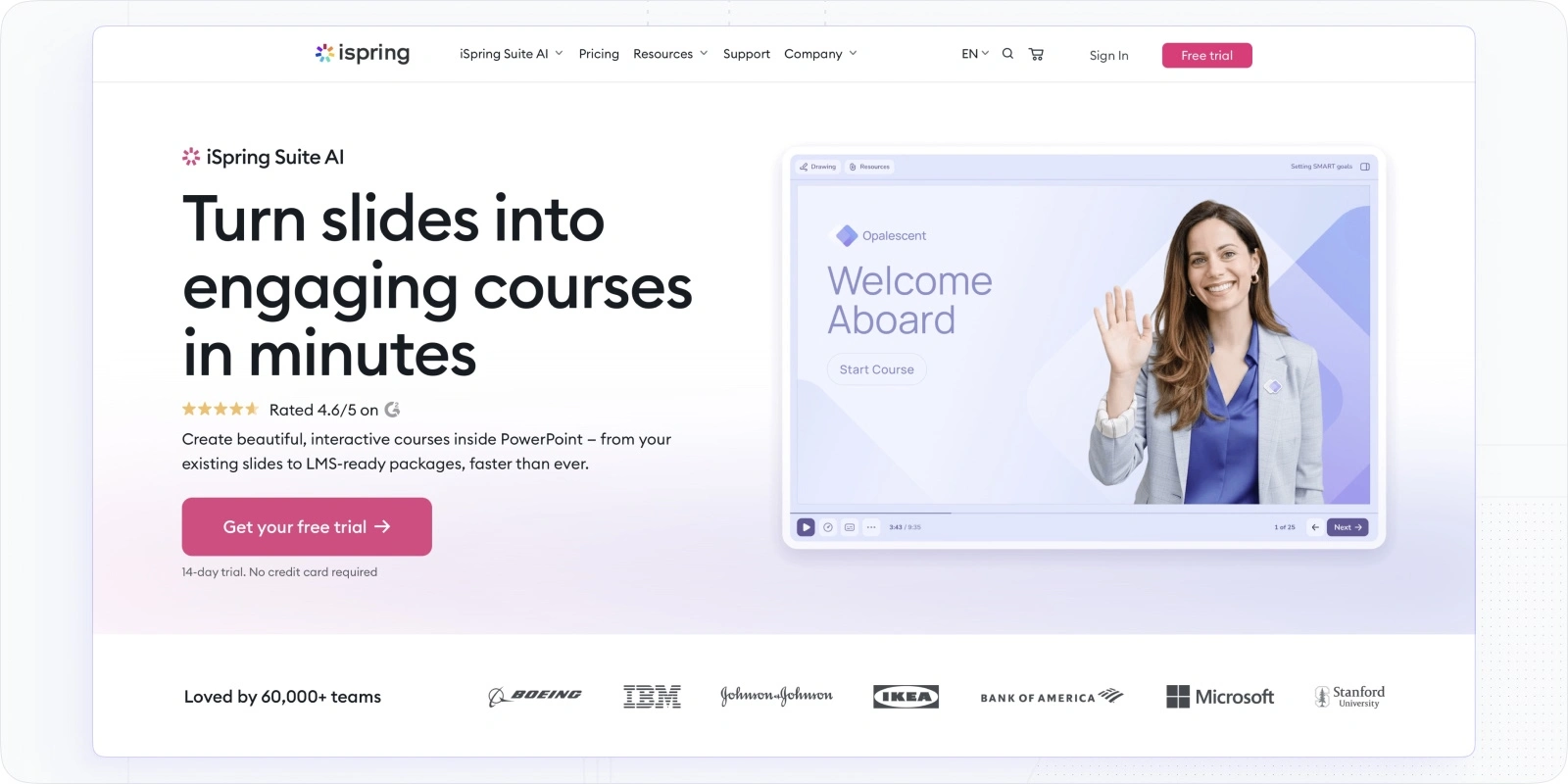
iSpring LMS pricing is built around a simple idea: you pay for activity, not headcount.
In practical terms, iSpring Learn pricing per user is calculated based on active users. You’re billed only for learners who log in during a given billing cycle. Users who are registered but inactive don’t count toward your monthly total.
At a glance, this sounds very fair, and in many cases, it is. But the details matter.
The core mechanics, explained plainly
Here’s how iSpring’s pricing logic works in real life:
- You can register unlimited users in the system
- You’re charged only for users who actually log in
- Pricing is typically billed annually, with better rates than monthly plans
- The per-user cost decreases as your active user volume grows
- Storage, bandwidth, and content uploads are not metered or capped
So if you have 5,000 employees but only 600 of them log in during a given month, you pay only for 600. That’s why searches like iSpring Learn pricing 2026 often come from teams planning long-term training cycles.
Why this model appeals to buyers
This approach is especially attractive for organizations that:
- run training in waves (onboarding, quarterly compliance, annual refreshers)
- have predictable learning cycles
- train large audiences, but expect partial monthly activity
In those cases, iSpring LMS pricing can be easier to justify than traditional per-registered-user models, which charge you whether learners show up or not.
Where teams sometimes misjudge the cost
If your organization has continuous learning programs, encourages frequent logins, or uses the LMS as a daily knowledge hub, a large portion of your user base may count as “active” every month. At that point, iSpring Learn pricing per user starts to resemble a standard per-user LMS, but calculated differently.
Some reviewers point out that pricing can become less attractive for small businesses once multiple licenses are required, as noted in this verified G2 review of iSpring Suite. Others mention frustration with the move from lifetime licenses to annual subscriptions, which they describe in another G2 iSpring Suite user review, comparing iSpring Suite pricing 2025 to newer plans.
So, the model itself isn’t cheap or expensive by default. It rewards controlled, intentional usage and penalizes assumptions. That’s why understanding how often people will actually log in matters more than the headline price.
iSpring Pricing Breakdown
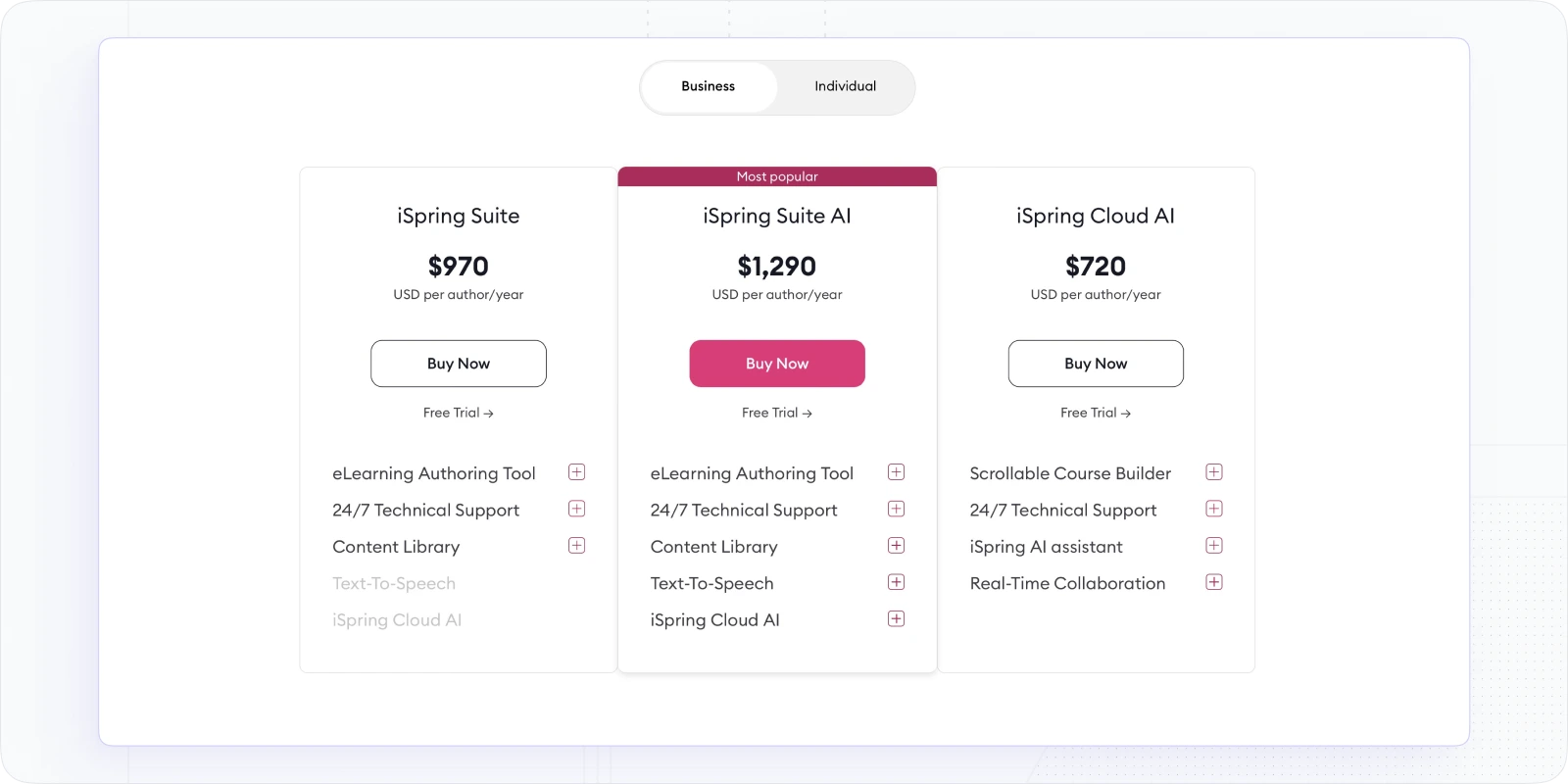
Before looking at the LMS subscription itself, it’s important to separate iSpring LMS pricing from iSpring’s authoring tools. They’re related, often bundled in deals, but they’re priced differently and serve different purposes.
This distinction becomes especially important when buyers compare iSpring Suite pricing, iSpring Suite Max pricing, or iSpring Cloud pricing.
iSpring authoring pricing overview
What this pricing model means in practice
These licenses are per author, billed annually. That means:
- Only people creating content need a license
- Learners do not require authoring licenses
- Costs scale with your content team size, not your audience size
For organizations with a small L&D or instructional design team supporting thousands of learners, this can be very cost-effective.
For teams where many subject-matter experts need hands-on authoring access, costs rise quickly, especially with AI-enabled plans.
Important nuance buyers often miss
Authoring tools and the LMS are separate cost layers.
You may:
- Buy iSpring Suite and publish content into another LMS
- Use iSpring LMS and add Suite licenses for content creation
- Bundle both under a negotiated agreement
Understanding this split is critical. Many pricing discussions go wrong simply because teams assume “iSpring” is one product, when it’s actually a stack.
iSpring’s authoring pricing is clear, predictable, and competitive — as long as the number of authors stays under control.
iSpring Pricing Overview
At a high level, iSpring pricing is built around who creates content, not how many people take courses.
Authoring licenses, like iSpring Suite pricing, iSpring Cloud pricing, and AI-enabled plans, are purchased per creator and billed annually. Access to the LMS itself, iSpring Learn, is priced separately using an active-user model.
For teams that don’t need the full suite, iSpring also lists pricing for individual authoring tools on its minor products pricing page.
This structure is intentional. iSpring assumes a small group produces training content and a much larger group consumes it. When that assumption holds, iSpring Learn pricing stays predictable and often lower than traditional per-registered-user LMS pricing.
Additional Costs to Consider
Even with clear, published pricing, iSpring LMS pricing isn’t the whole budget story. The license fee is only one piece, and often not the biggest one.
Here are the costs teams typically encounter once they move past evaluation and into real use.
LMS costs
Some organizations use iSpring primarily as an authoring tool and publish courses into a separate LMS. In that case, iSpring Suite or iSpring Cloud is an additional layer, not a replacement.
This setup isn’t wrong; it’s common, but it means you’re managing:
- iSpring authoring licenses
- Another LMS subscription
- Ongoing compatibility and publishing workflows
The total cost is still manageable, but only if you account for both sides upfront.
Implementation time and internal resources
iSpring is relatively easy to set up compared to heavyweight enterprise LMS platforms. That said, “easy” doesn’t mean “instant.”
Internal teams still need time for:
- Platform configuration
- User roles and permissions
- Initial course structure
- Reporting setup
Most organizations handle this internally, which keeps vendor fees low, but shifts cost into staff hours.
Integrations with HR systems and external tools
Out-of-the-box integrations cover many standard needs. More complex setups (HRIS syncs, SSO customization, etc) usually require:
- IT involvement
- API configuration
- Ongoing maintenance
The platform supports this well, but the effort lives on your side of the budget.
Content development and instructional design effort
This is where most real cost shows up.
Even with strong authoring tools, creating quality training takes time:
- Designing learning paths
- Writing assessments
- Recording and editing video
- Reviewing and updating content
The software makes production possible. It doesn’t make it free.
Optional services and enterprise support
Some teams choose to invest in:
- Custom onboarding or administrator training
- Consulting for large rollouts
- Priority or enterprise-level support packages
These aren’t required, but they can shorten time-to-value, especially for large or regulated organizations.
Tip: Software cost is predictable, but internal production effort is where most real cost lives.
If you plan for that reality upfront, iSpring remains easy to budget.
Final Verdict: Is iSpring Worth It in 2026?
So, is iSpring worth the money in 2026? The honest answer is: yes, for the right kind of organization.
iSpring Learn pricing 2026 makes sense for teams that value transparency, structured content creation, and predictable billing. When your needs line up with that authoring-first philosophy, iSpring LMS pricing delivers solid value without surprises.
When iSpring is a strong fit
iSpring makes the most sense for organizations that
- Create a lot of internal courses. Especially compliance, onboarding, and recurring training that doesn’t change weekly.
- Train large audiences with a small content team. Few authors, many learners — this is where iSpring’s pricing model makes sense.
- Care about predictable, transparent costs. No forced demos, no shifting quotes, no feature-gated tiers.
- Rely heavily on PowerPoint-based workflows. If your L&D team already builds training in PowerPoint, iSpring feels natural rather than disruptive.
When it may not be ideal
That said, iSpring isn’t designed for every training strategy. Organizations often start looking at alternatives when they need:
- More than a course-authoring-first approach. If your focus shifts toward continuous learning, collaboration, and rapid iteration, iSpring can start to feel restrictive.
- Advanced automation or multi-portal learning. Complex setups involving partners, customers, or multiple branded environments often require more flexible platforms.
- A modern, engagement-first learning experience. Teams looking for dynamic learning paths, built-in collaboration, and real-time adaptation may outgrow iSpring’s structure.
This is typically the point where teams explore modern LMS options built around learning workflows rather than content production.
For teams that like iSpring’s clarity but need more flexibility, EducateMe is often part of the conversation.
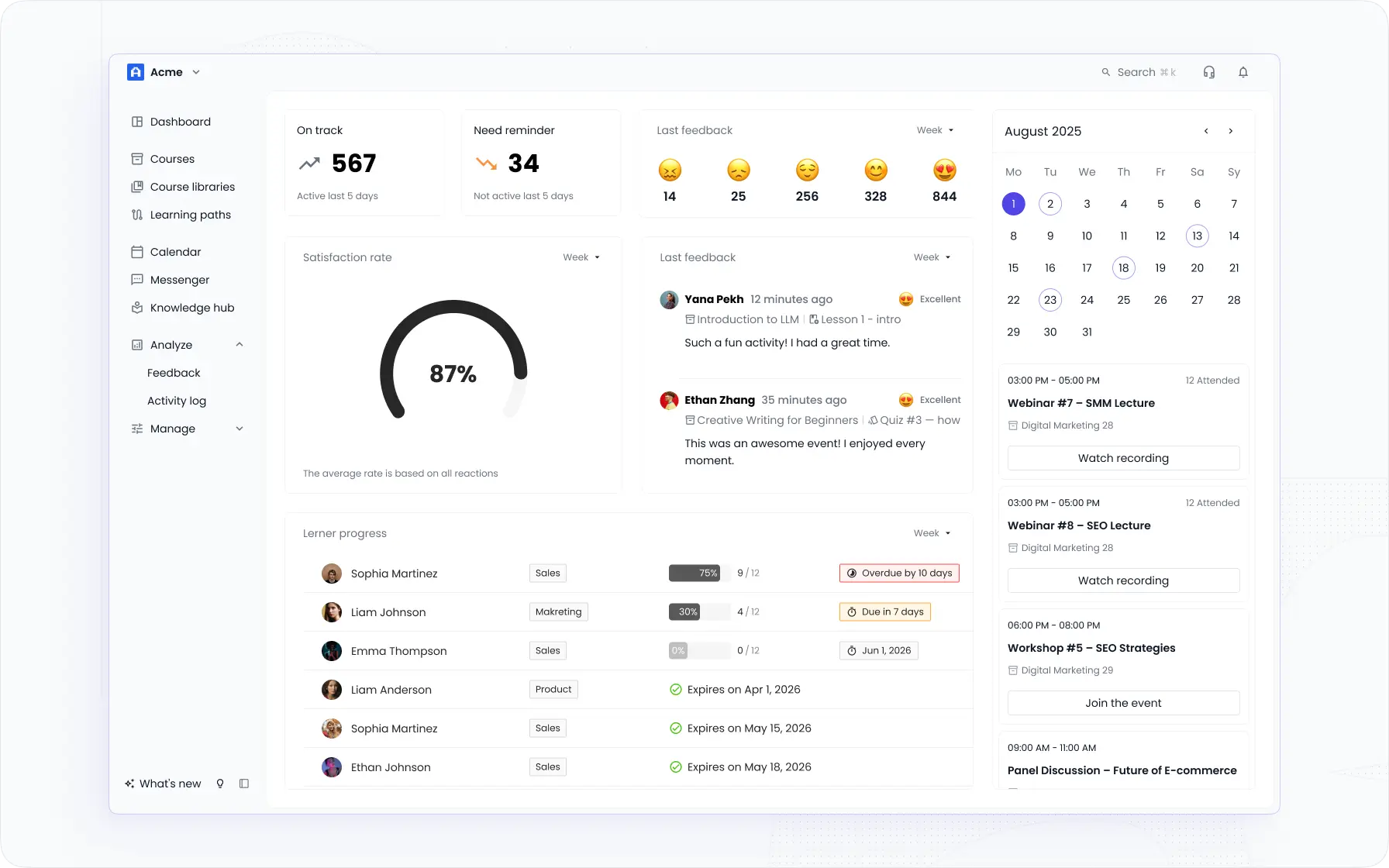
EducateMe transforms corporate learning into a smarter, simpler experience. Designed for teams, training providers, and organizations seeking a powerful AI-first LMS without the long setup times or steep enterprise costs, EducateMe makes learning management effortless. With this platform, you benefit from:
- Flexible pricing that adapts as your organization grows, so you never pay for more than you need.
- Quick, intuitive onboarding, enabling fully branded training portals to go live in just hours.
- AI-assisted course creation and automation to speed up content development and reduce administrative tasks.
- Multi-tenancy capabilities, ideal for agencies, departments, and client-focused training programs.
- Full white-label customization, letting your platform fully reflect your brand.
- Comprehensive features including live sessions, progress tracking, analytics, and seamless integrations, all in a clean, easy-to-use interface.
- Risk-free trial with complete feature access to explore the platform before committing.
If your training strategy is evolving beyond structured course delivery, it’s worth comparing platforms before you commit.
Teams that want to compare platforms in practice can book a demo and see how EducateMe fits their training model before committing.
Frequently asked questions
How much does the iSpring Suite cost?
Popular alternatives include Articulate 360, Adobe Captivate, and Lectora for full-featured course authoring. Cloud-based platforms like EducateMe or TalentLMS offer simpler, browser-based solutions. Open-source options such as Moodle are also available for budget-conscious users.
What are the pros and cons of iSpring?
Pros include a comprehensive authoring toolkit, SCORM-compliant outputs, and easy integration with LMS platforms. It also offers AI-assisted features in newer versions to speed up content creation. Cons are the relatively high cost for small teams and a learning curve for beginners.
Can I use iSpring for free?
iSpring does not offer a permanent free version of its full suite. However, you can try a free trial to explore features before purchasing. Individual tools like iSpring Converter may have limited trial options.
What are iSpring alternatives?
Popular alternatives include Articulate 360, Adobe Captivate, and Lectora for full-featured course authoring. Cloud-based platforms like EducateMe or TalentLMS offer simpler, browser-based solutions. Open-source options such as Moodle are also available for budget-conscious users.